
Designed by Henrik Cederblad, Cederblad Design.
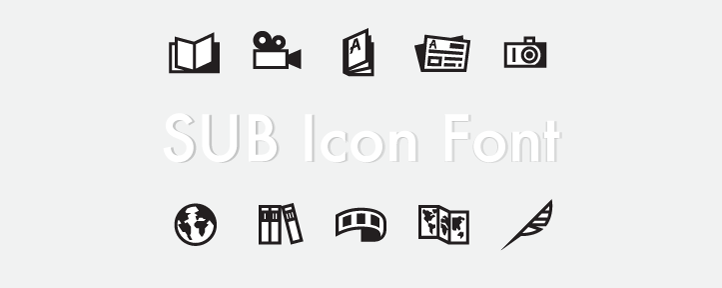
This is an icon font that contains UI symbols for various types of media and information sources. It was commissioned in 2013 by SUB Göttingen | Georg-August-Universität Niedersächsische Staats- und Universitätsbibliothek.
SUB-Icon-Font/
A folder containing the actual icon font:
- eot, woff2, woff, svg, ttf standard file formats
- svg/ one standalone SVG per glyph (see SVG files below)
- Demo showing an example webpage with the font in use
The woff2 is the format every current browser will actually download; the older
eot, woff and svg entries are retained only for legacy clients. See
tools/build-woff2.py for how it is produced and verified.
SUB-Icon-Font/svg/ contains one SVG per glyph, named after its CSS class —
subicon-book_bg.svg, subicon-ui-loupe_fg.svg, subicon-ui-arrow-next-page.svg —
so a file name, a CSS class and a font glyph always refer to the same artwork.
These are per glyph, not per icon. Because each icon is a background/foreground pair, you get one file per layer and stack them yourself, exactly as with the font. The most flexible option is to paste the paths inline, which lets CSS colour each layer:
<svg width="32" height="32" viewBox="0 0 768 768" aria-hidden="true">
  <path class="bg" fill="#6b4f2a" d="…"/><!-- subicon-book_bg.svg  -->
  <path class="fg" fill="#fbf3e4" d="…"/><!-- subicon-book_fg.svg  -->
</svg>
For a single layer you can reference the file directly:
<img src="svg/subicon-newspaper_bg.svg" width="32" height="32" alt="">Every file uses viewBox="0 0 768 768" (the font's em box) and fill="currentColor", so a
referenced file renders black and an inlined one inherits color. Referencing a layer from
another document with <use href="svg/…#id"> is technically possible, but browsers treat it as
a cross-origin request — it will not work from file:// and needs same-origin HTTP — so prefer
inlining or <img>.
Generated from subicons.ttf by tools/build-svg.py, which also verifies that every SVG still
draws the same shape as the glyph it was derived from.
These supersede the Illustrator exports in Workfiles/_exports/ for distribution purposes; those
remain in the repository as source history.
Icons_and_Guidelines.pdf
An overview of the icons along with information about the guidelines for designing and using the icon font:
- Icons overview: showing all icons together on a grid
- Design Principles: describing rules in effect during original design (should be followed if the set is to be extended with new icons)
- Usage Guidelines: notes about proper display
Character_Map.md
- Assigned characters for each icon (Unicode)
- CSS classes
License.txt
ReadMe.md
There are multiple ways to implement icon fonts on a web page. You may take a look at the included demo – open index.html within SUB Icon Font/ – and examine the source code for a few examples. (N.B. this example does not align and stack each icon's background/foreground symbols one on top of the other, see Layers below.)
The glyphs are mapped to Private Use Area (PUA) characters of Unicode. See Character_Map.md for assigned codes.
SUB Icon Font is designed to use two layered symbols per icon: a background layer and a foreground layer. These should be positioned one on top of the other with CSS. It doesn't matter which one is on top since their graphics will not overlap.
The color (luminosity) of background layers should always be darker than the foreground layers, otherwise the icons won't appear correctly.
Licensed under the MIT License (see License.txt).