You have been tasked to develop an eCommerce application that allows customers to purchase products online.
you need to create a frontend eCommerce application that will consume the backend services provided later in this document. The frontend application should be implemented using React. You need to create the following pages:
-
Products Page- This page should display all available products for purchase in either a paginated manner or in an infinite-scroll. Users should be able to filter the products based on various criteria, such as category, price range, etc. Users should also be able to add products to their cart. -
Checkout Page- This page should display the items in the user's cart and allow them to finalize their order. Users should be able to modify their cart before submitting their order. Checkout forms should have proper form validation. -
Orders Page- This page should display a list of all orders placed by the user. Users should be able to view details of each order, including the items purchased and the order total.
- User Experience (filtering the data in an easily accessible form, creating an experience such that a user would like to use this service again once visited)
- Code Structure, Quality. Follow this Coding Practices .
- Responsiveness and accuracy of data
- Error Handling (Pages for no data found, notification prompts for what is happening in the application, etc)
- Create app in React 18 and scaffold the project with Vite
- Use TailwindCSS for styling.
- Use Functional components
- Use @redux/toolkit for state management. One can use RTK query if they wish to.
- Optionally one can choose to make the application responsive.
- Do not use MUI or similar fully built component library, However you can use unstyled component library like Headless UI
- Add unit-test cases as well using Vitest, React Testing Library. Minimum coverage criteria is of 70% (Make sure you cover few files of each file type e.g. Component, Hooks, API calls, Util functions).
- Please follow Web Content Accessibility Guidelines(WCAG) for components WCAG, Accessibility
- For analyzing the accessibility problems in your page. Please use chrome extension BrowserStack Accessibility Toolkit
Use the backend API endpoints from fake eCommerce App API Service
Here are the wireframes for the pages in the application:
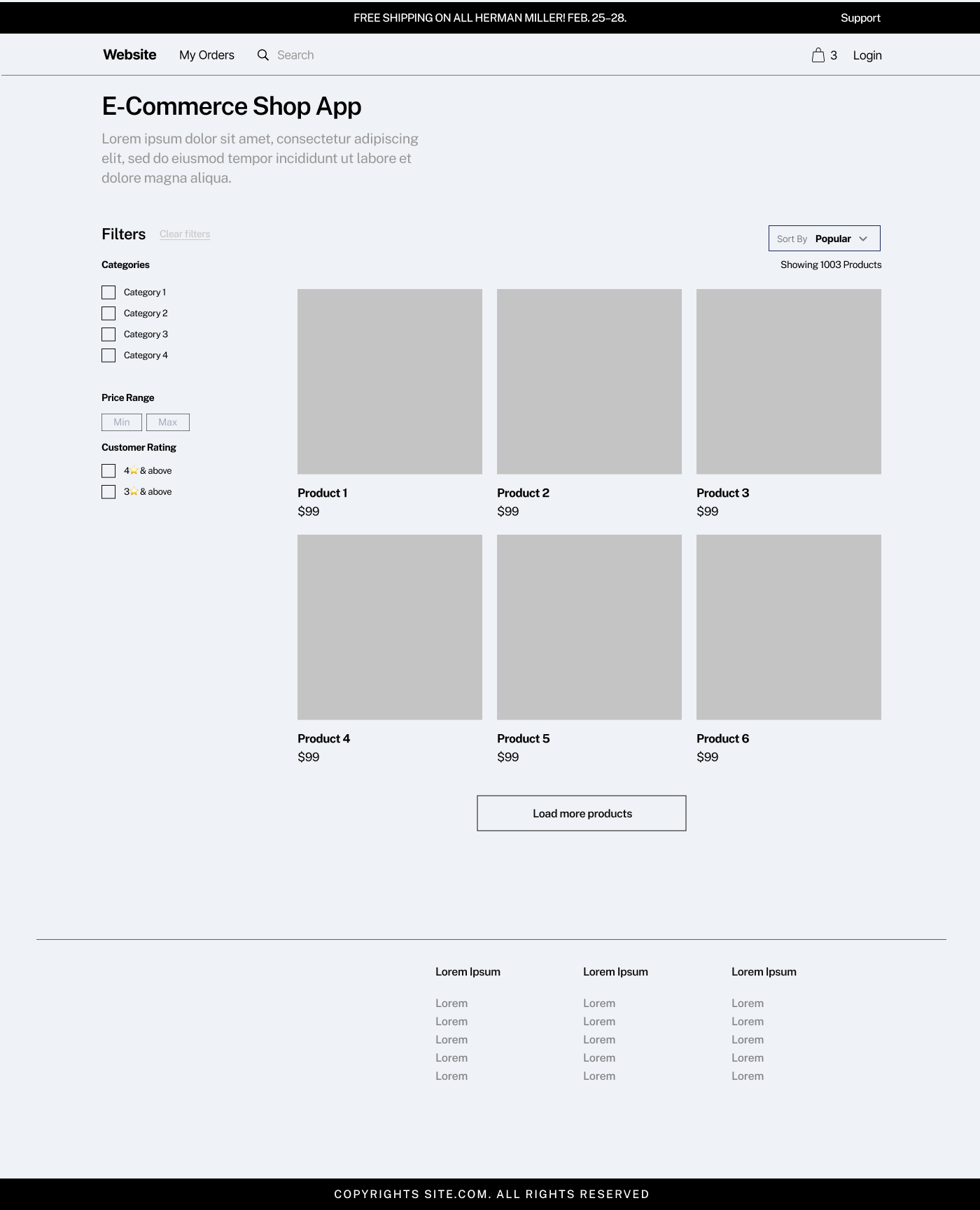
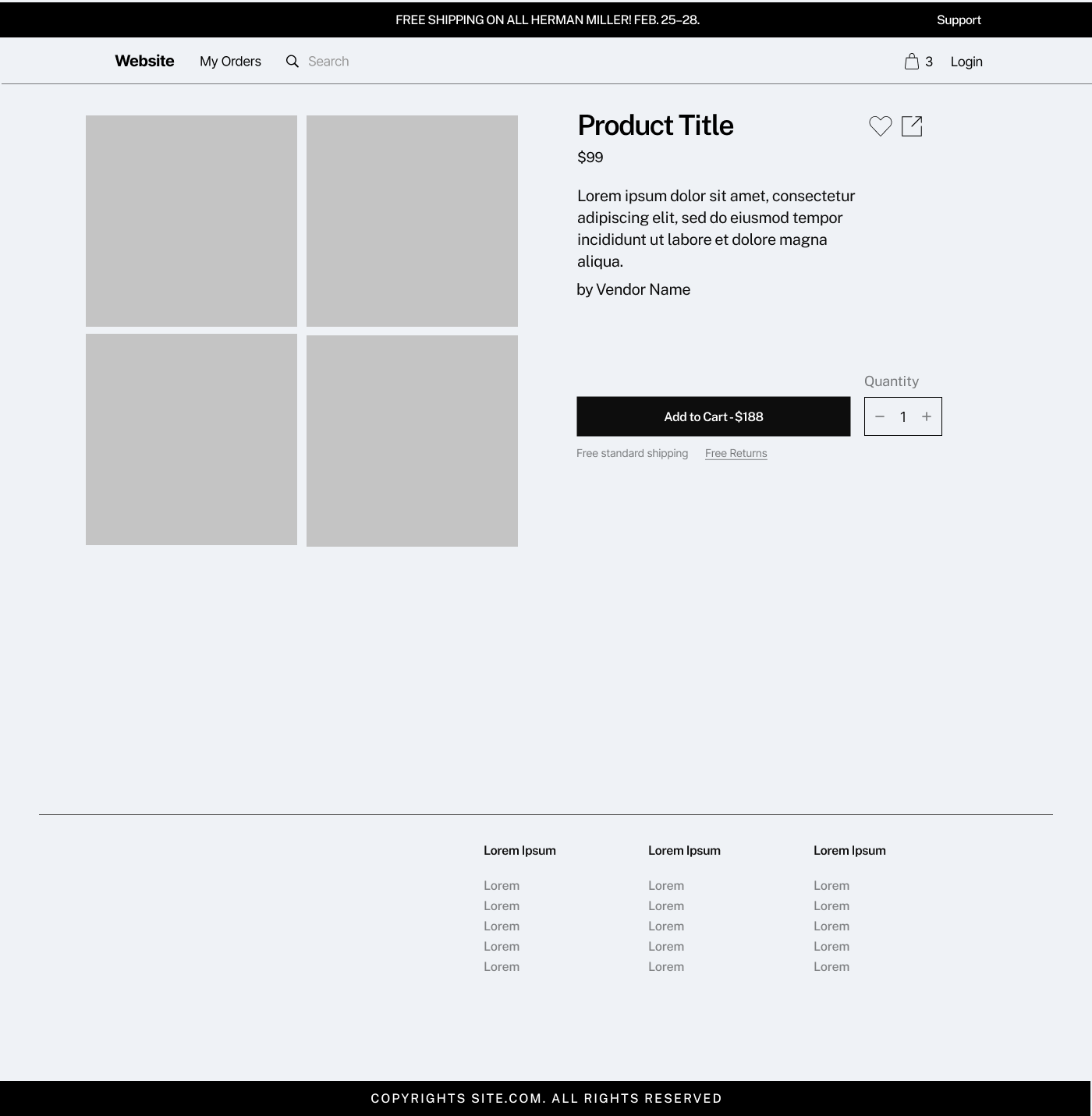
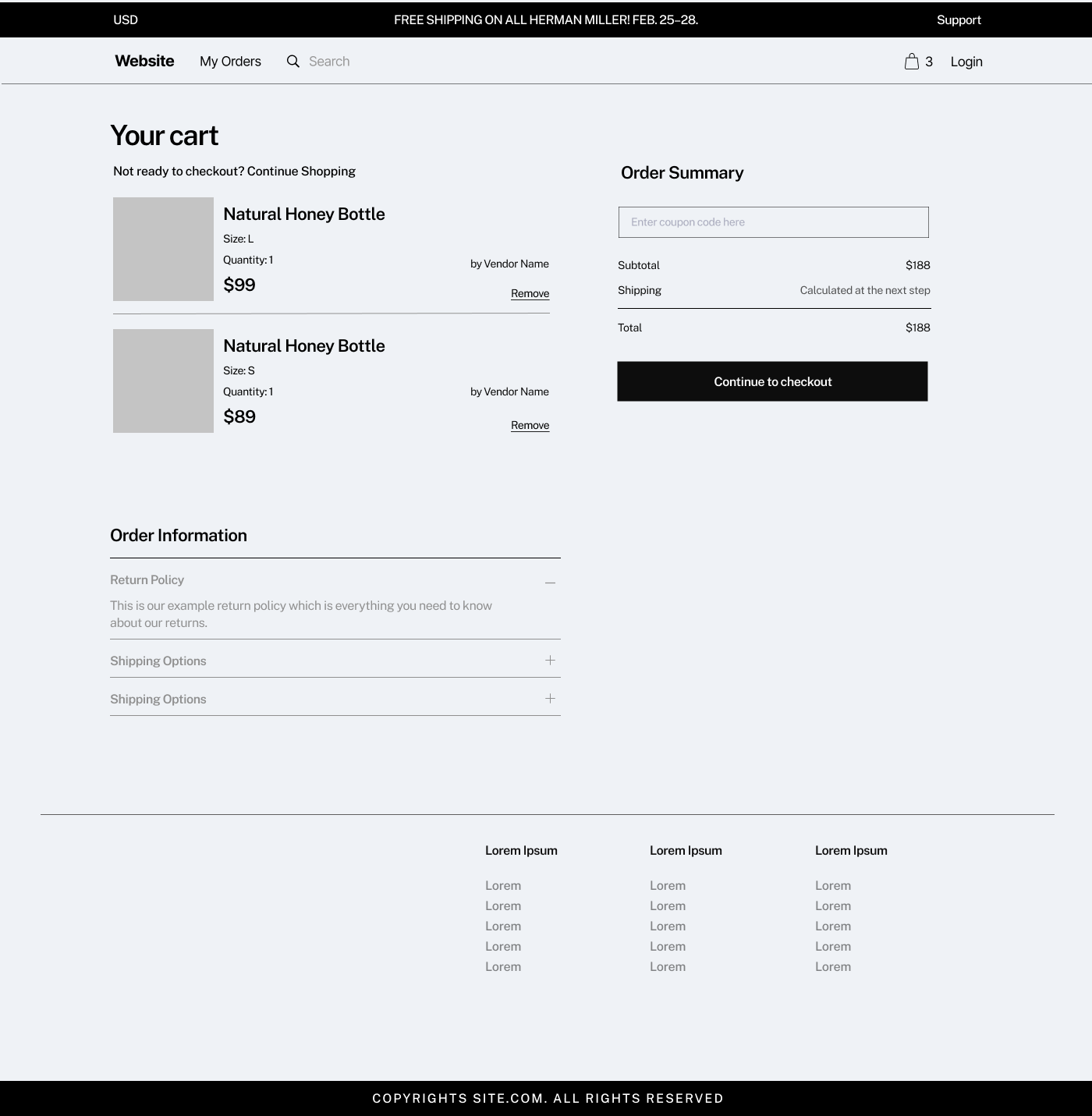
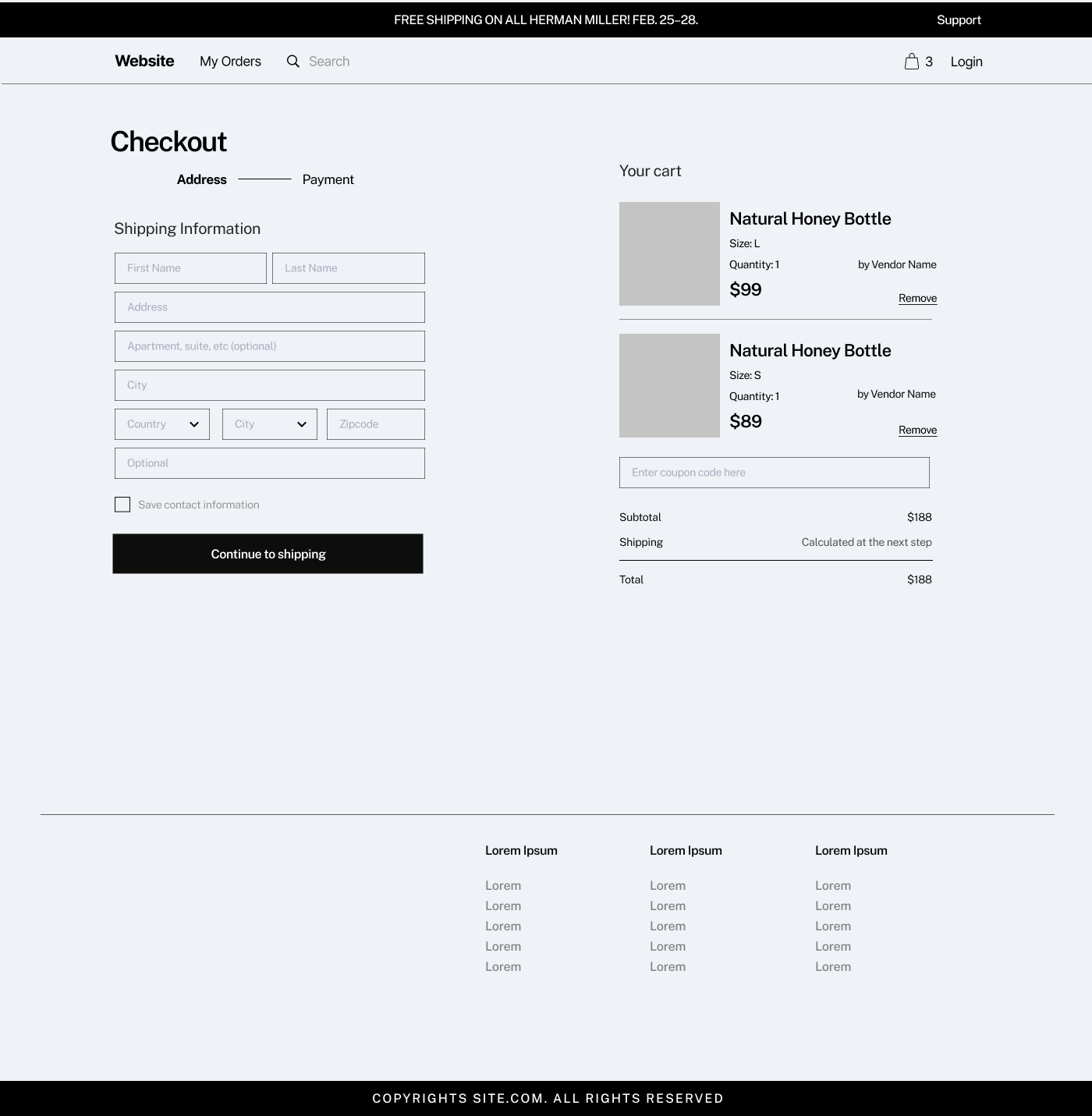
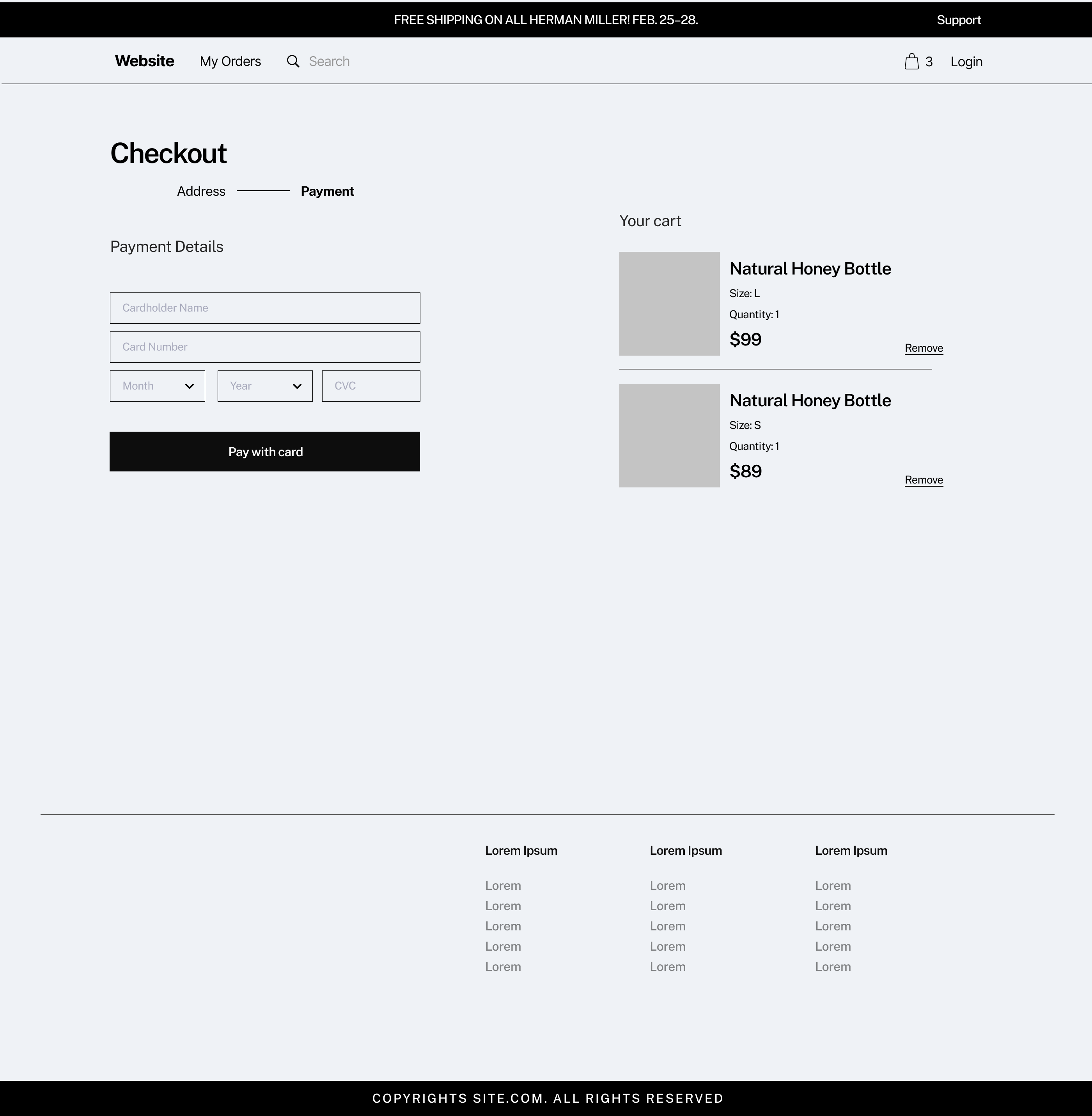
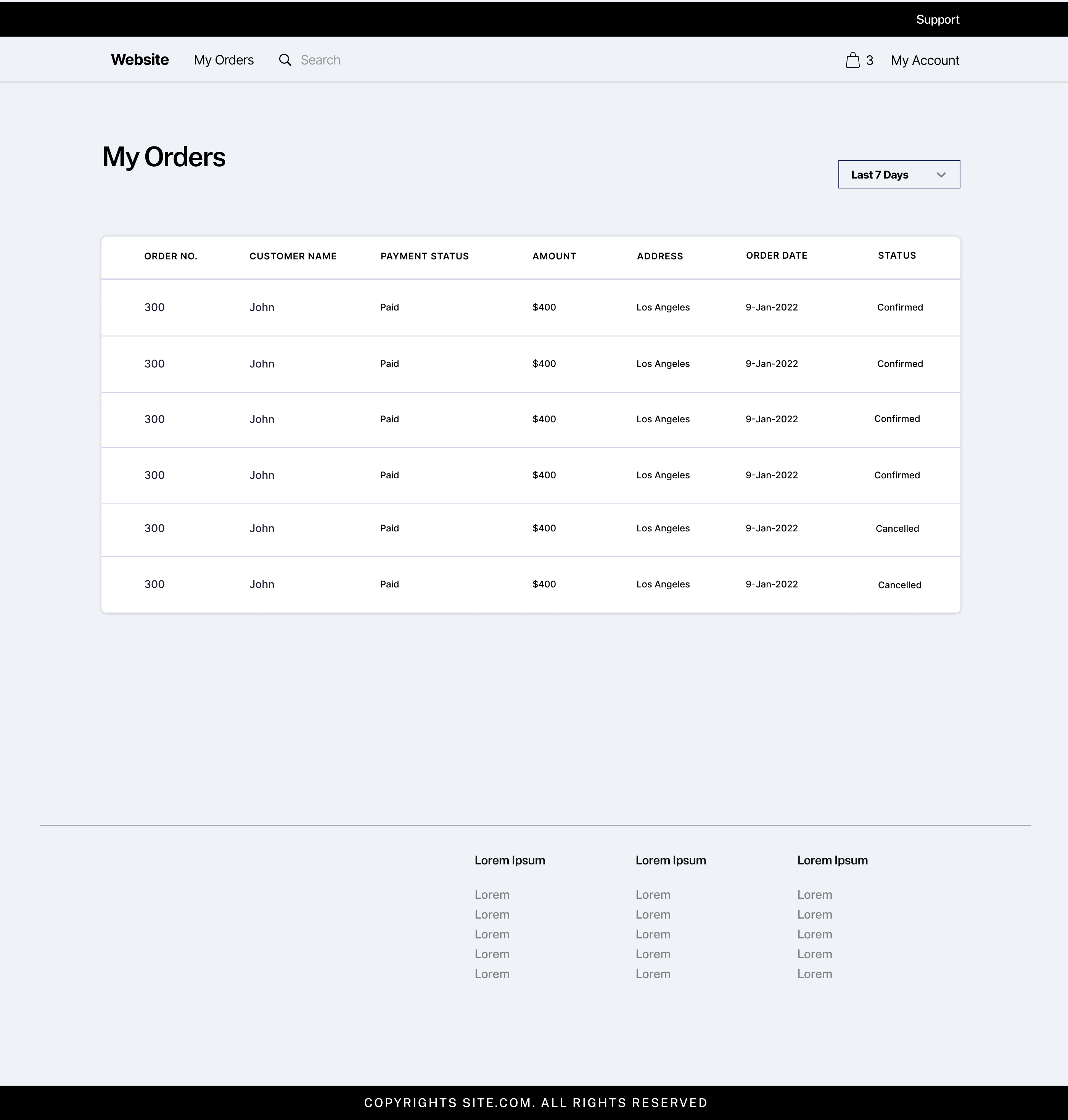
No, the provided design is just wireframes. You can adjust the design as long as the core functionality is maintained.
The mock API may have inconsistencies like duplicate IDs or image issues. These issues are known and are part of the mock API's limitations. Focus on handling these discrepancies in your frontend code. The APIs provide basic CRUD operations, so you can handle additional logic on the frontend as needed.
Known Issues and Solutions:
- Product Images not loading: Use dummy public image URLs.
- Missing details in cart API: Maintain the cart list on the frontend.
Yes, you can request to use external packages that are frequently used in our products.
Similar Questions and Answers:
- Can I use react-toastify? - Yes
- Can I use react-hook-form for form handling? - Yes
- Can I use axios for API calls? - Yes
- Can I use “useSWR” for data fetching instead of async_thunk from redux/toolkit? - No, For onboarding, use redux-toolkit to get familiar with our practices.
Ensure you are sending Content-Type as application/json header. If using fetch API, this header is not sent by default.
No, it will be based on the coding practices you follow.