
Production-ready documentation from Markdown, in seconds.
Zero config. AI-native. Built for developers.




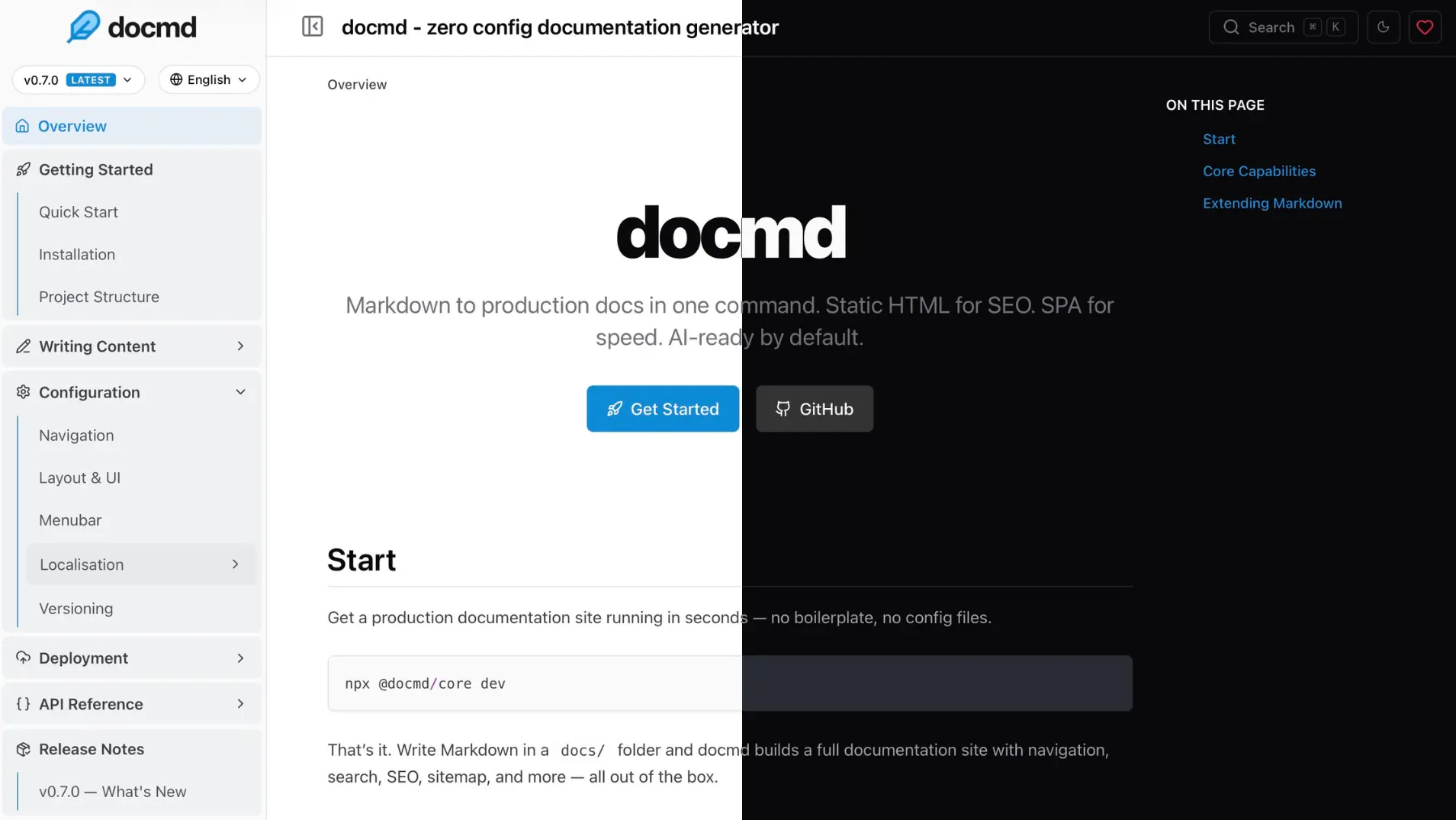
Run docmd in any folder with Markdown files — no install needed:
npx @docmd/core devOpens at http://localhost:3000
    _                 _
  _| |___ ___ _____ _| |
 | . | . |  _|     | . |
 |___|___|___|_|_|_|___|

 v1.x.x

┌─ Build
│  Engine          JS
│  Source          docs/
│  Output          site/
│  Versions        2 (06, 05)
│  Locales         7 (en, hi, zh, es, de, ja, fr)
└──────────────────────────────────────────────────────────
┌─ Data Indexing
│  [ DONE ] Syncing git metadata
│  [ DONE ] Building semantic search index (multi-version)
└──────────────────────────────────────────────────────────
┌─ Publishing
│  [ DONE ] Generated robots.txt
│  [ DONE ] Generated .nojekyll (disables Jekyll on GitHub Pages)
│  [ DONE ] Generated sitemap
│  [ DONE ] Generating LLMs context files
└──────────────────────────────────────────────────────────

⬢ Initial build completed in 1.2s.

┌─ Watching
│  Source          ./docs
│  Config          ./docmd.config.json
│  Assets          ./assets
└──────────────────────────────────────────────────────────
┌─ Development Server Running
│  Local Access    http://127.0.0.1:3000
│  Network Access  http://192.168.1.6:3000
│  Serving from    ./site
└──────────────────────────────────────────────────────────
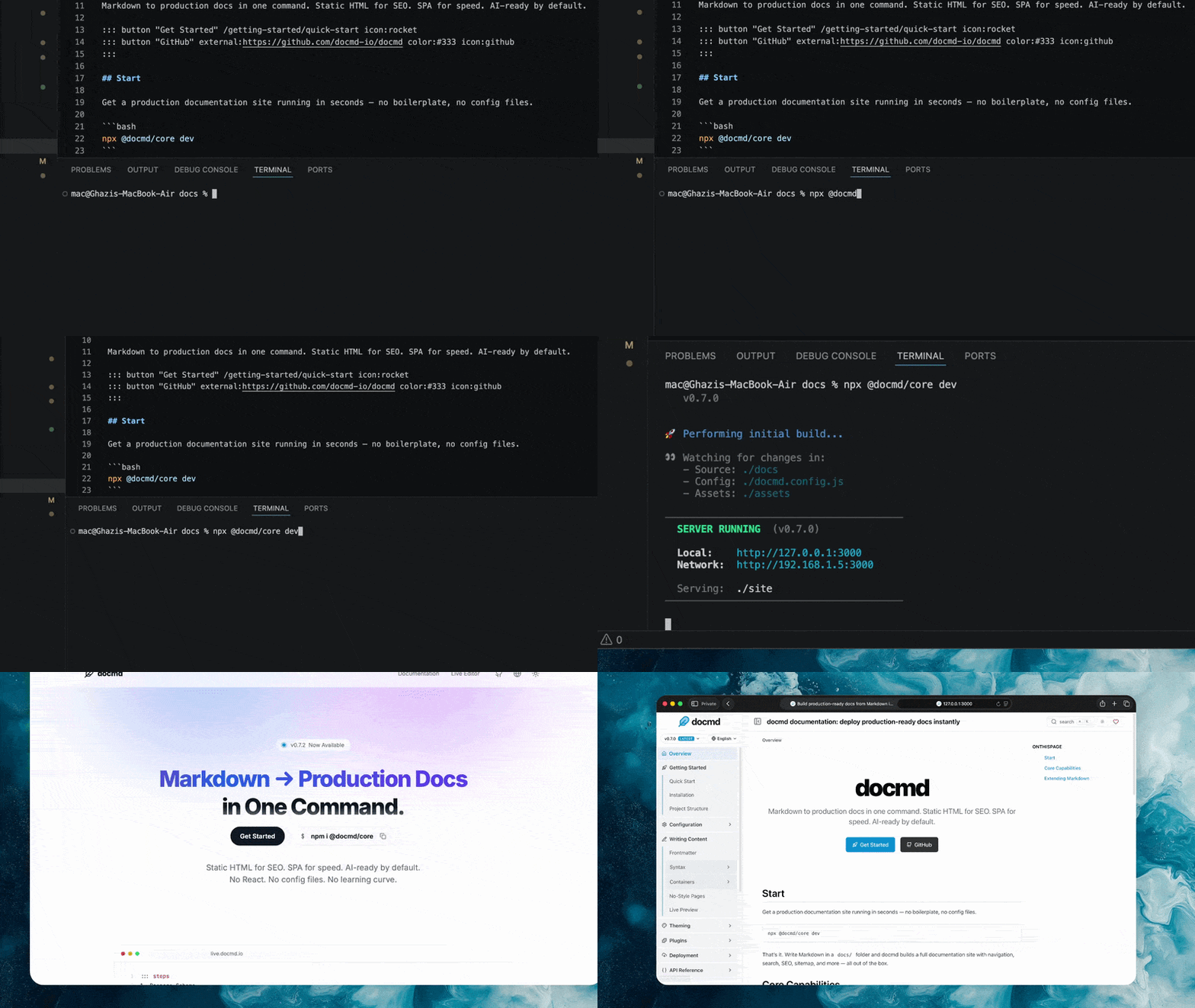
Navigation is generated from your file structure. No config file, no frontmatter required, no framework to learn.
When you're ready to ship:
npx @docmd/core buildThis outputs a highly optimized static site (SPA) ready for deployment to Vercel, Cloudflare Pages, Netlify, GitHub Pages, or any static host.
Requirements: Node.js 18+
Or install globally / via Docker
# Install globally via npm
npm install -g @docmd/core

# Or via pnpm
pnpm add -g @docmd/core

# Run it
docmd dev    # start dev server
docmd build  # build for deployment
Or run via Docker:
docker run -p 3000:3000 ghcr.io/docmd-io/docmd:0.8.7Non-root (UID 1001) — pass
-u $(id -u):$(id -g)to keep host ownership. Pin a version for reproducible builds.
| Feature | docmd | Docusaurus | MkDocs | VitePress | Mintlify |
|---|---|---|---|---|---|
| Config required | None | docusaurus.config.js |
mkdocs.yml |
config.mts |
docs.json |
| JS payload | ~18 kb | ~250 kb | ~40 kb | ~50 kb | ~120 kb |
| Navigation | Instant SPA | React SPA | Full reload | Vue SPA | Hosted SPA |
| Versioning | Native | Native (complex) | mike plugin | Manual | Native |
| i18n | Native | Native (complex) | Plugin-based | Native | Native |
| Multi-project | Native | Plugin | Plugin | - | - |
| Search | Built-in | Algolia (cloud) | Built-in | MiniSearch | Cloud |
AI context (llms.txt) |
Built-in | - | - | - | Built-in |
| MCP server | Built-in | - | - | - | Built-in |
| Agent skills | Built-in | - | - | - | - |
| Docker image | Official | - | Official | - | - |
| Self-hosted | Yes | Yes | Yes | Yes | - |
| Cost | Free (OSS) | Free (OSS) | Free (OSS) | Free (OSS) | Freemium |
Point docmd at any Markdown folder and it runs. Navigation is built automatically from your file structure. You can write your first doc and have it live in under a minute — no boilerplate, no build pipeline to configure, no decisions to make upfront.
The default JavaScript payload is ~18 kb. Pages navigate as an instant SPA. The output is static HTML — SEO-optimised, with sitemap, canonical URLs, and Open Graph metadata included. Offline full-text search is built in, no cloud service required.
docmd is built for the way documentation is read and used today:
- MCP Server —
docmd mcpexposes your docs to AI agents over stdio, letting them search, read, and validate content directly. - Context (
llms.txt/llms-full.txt) — complete documentation context generated at build time, ready for any LLM. - Agent Skills — modular instruction sets for LLMs and IDE agents (docmd-skills).
- Copy as Markdown / Copy Context — one-click buttons in the browser, optimised for pasting into AI chat.
- Internationalisation with multi-locale builds
- Versioning for multiple doc releases
- Workspaces for monorepos and multi-project setups
- Plugin system for extending core behaviour
- Full theming support, built-in templates, custom CSS/JS, light/dark mode
docmd dev            # local development server
docmd build          # build for deployment
docmd live           # browser-based Live Editor
docmd migrate        # import from Docusaurus, VitePress, MkDocs, or Starlight
docmd deploy         # generate config for Docker, NGINX, Caddy, Vercel, Netlify
docmd validate       # check all internal links
docmd mcp            # run as an MCP server over stdio
docmd add <name> # install a plugin or templateCore functionality is powered by a robust plugin system. The essentials are included by default, while optional plugins can be added for specific needs.
| Plugin | Status | Description |
|---|---|---|
search |
✅ Core | Offline full-text search with fuzzy matching |
seo |
✅ Core | SEO tags and Open Graph metadata |
sitemap |
✅ Core | Generates sitemap.xml |
git |
✅ Core | Git commit history and last-updated dates |
analytics |
✅ Core | Lightweight analytics integration |
llms |
✅ Core | AI context generation (llms.txt / llms-full.txt) |
mermaid |
✅ Core | Mermaid diagram support |
openapi |
✅ Core | Build-time OpenAPI 3.x spec renderer |
pwa |
➕ Optional | Progressive Web App — offline navigation |
threads |
➕ Optional | Inline discussion threads (by @svallory) |
math |
➕ Optional | KaTeX / LaTeX math rendering |
Install optional plugins:
docmd add <plugin-name>Build your own: Plugin Development Guide
No configuration is required to get started. Add a docmd.config.json (or .ts / .js) in your project root only when you need more control:
{
  "title": "My Project",
  "url": "https://docs.myproject.com",
  "src": "./docs",
  "out": "./dist"
}
TypeScript and JavaScript config files are supported for dynamic values.
Full reference: Configuration Overview
my-docs/
├── docs/                ← Your markdown files
├── assets/              ← Images and static files
├── docmd.config.json    ← Optional configuration
└── package.json
A browser-based editor for writing and previewing docs — no local setup required.
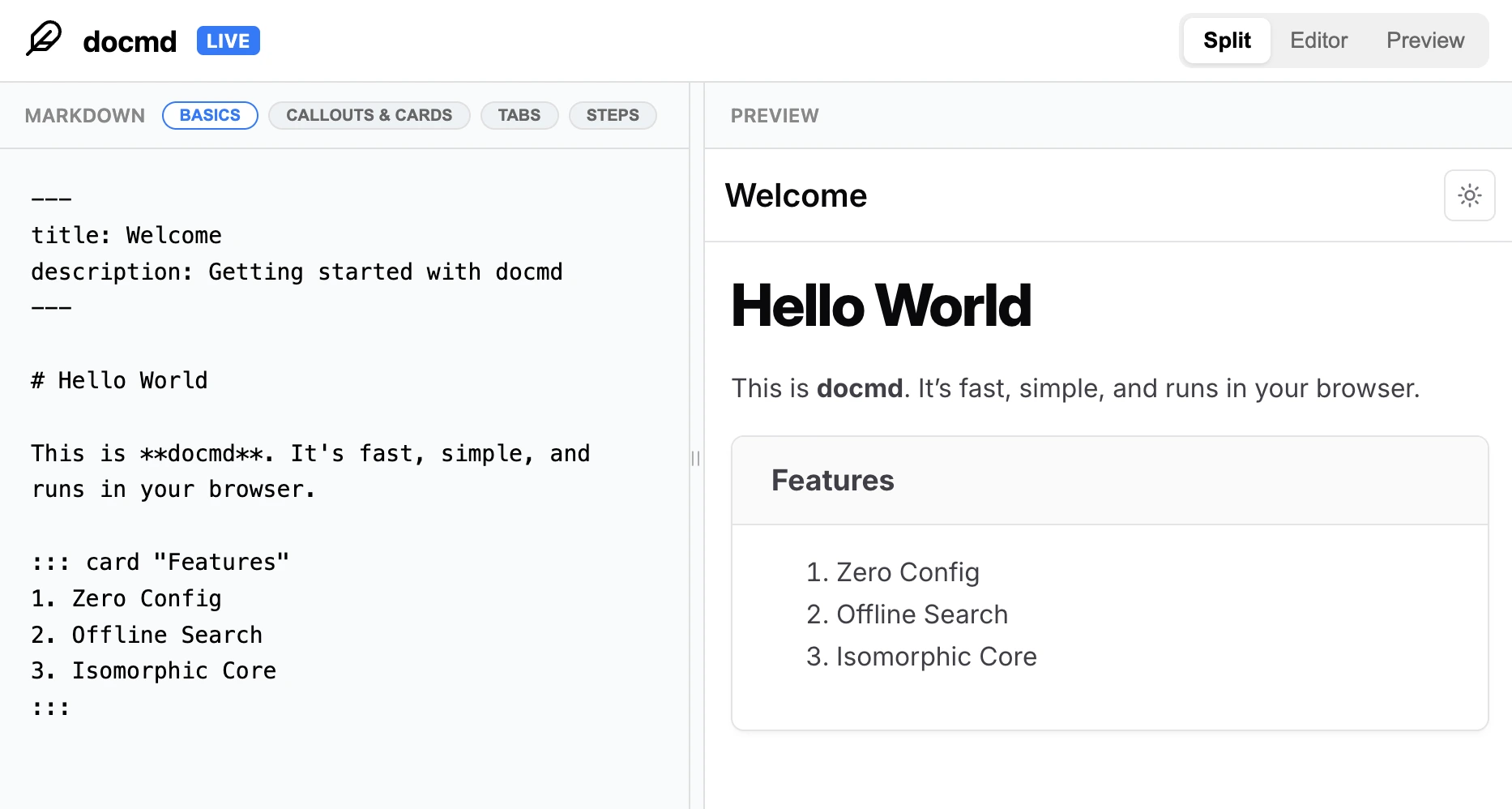
Try it at live.docmd.io
Use docmd in Node.js scripts, CI pipelines, or custom build steps. (Supports both CommonJS and ESM).
import { build } from '@docmd/core';

await build('./docmd.config.json', { isDev: false });
Full reference: Node API
- Bugs & issues → GitHub Issues
- Questions & ideas → Discussions
- Contributing → CONTRIBUTING.md
- Roadmap → GitHub Discussions
- Getting the word out is the most direct way to support docmd's development. Share it on X with friends or give it a star.
- If docmd saves you time, a GitHub sponsorship goes a long way.
- Got ideas or bugs? Open an issue or PR, feel free to contribute your own plugins.
MIT License. See LICENSE for details.