

A Headlamp plugin for managing and visualizing CloudNativePG (CNPG) resources — Clusters, Poolers, Backups, Scheduled Backups, and Database objects — directly from the Headlamp UI.
 |
 |
 |
 |
 |
 |
 |
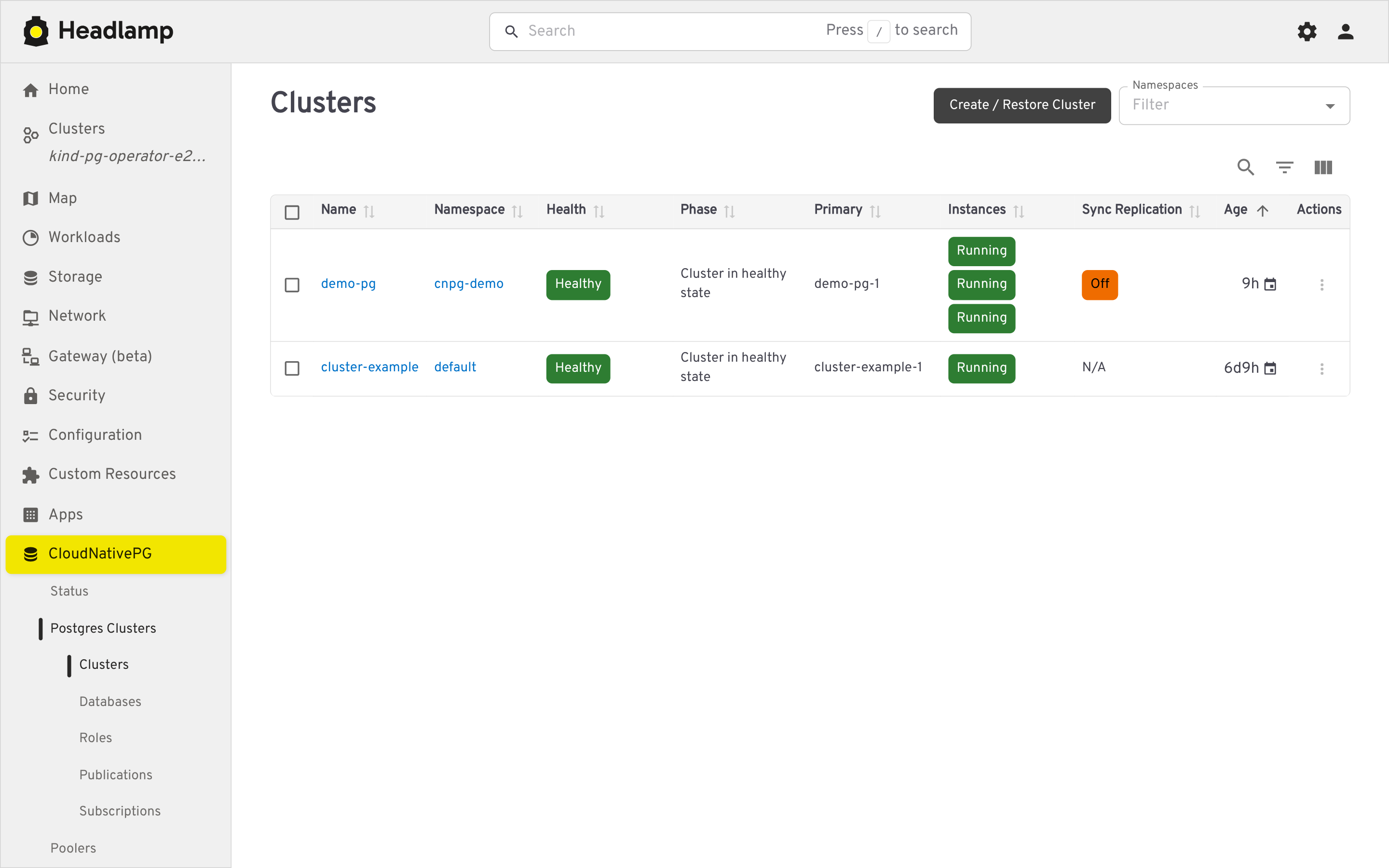
List and detail views, plus a guided creation form.
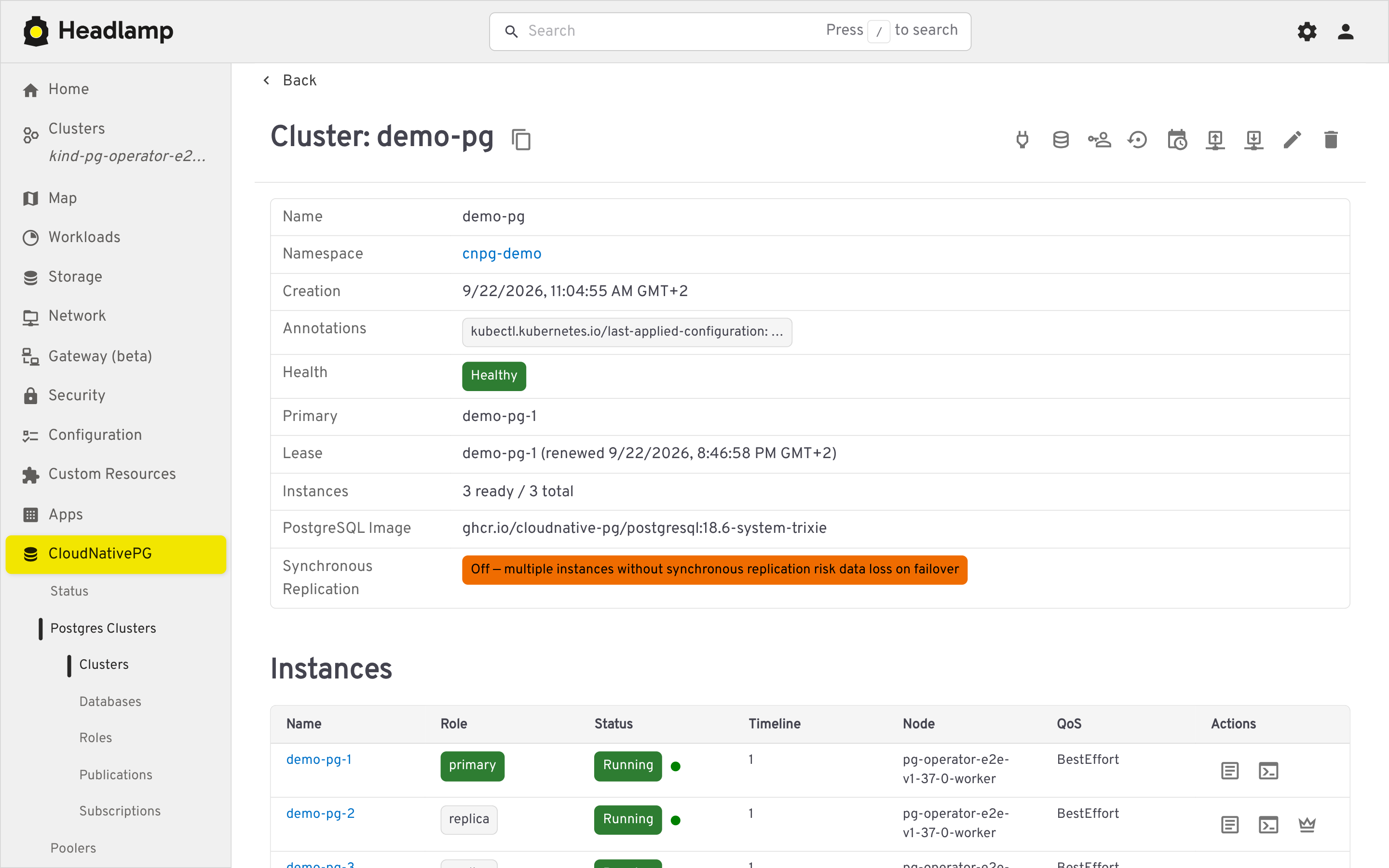
- Traffic-light health indicator (phase, WAL archiving, last backup)
- Instance roles and synchronous replication warnings
- Per-instance Postgres logs (filterable, color-coded, live-following)
- A
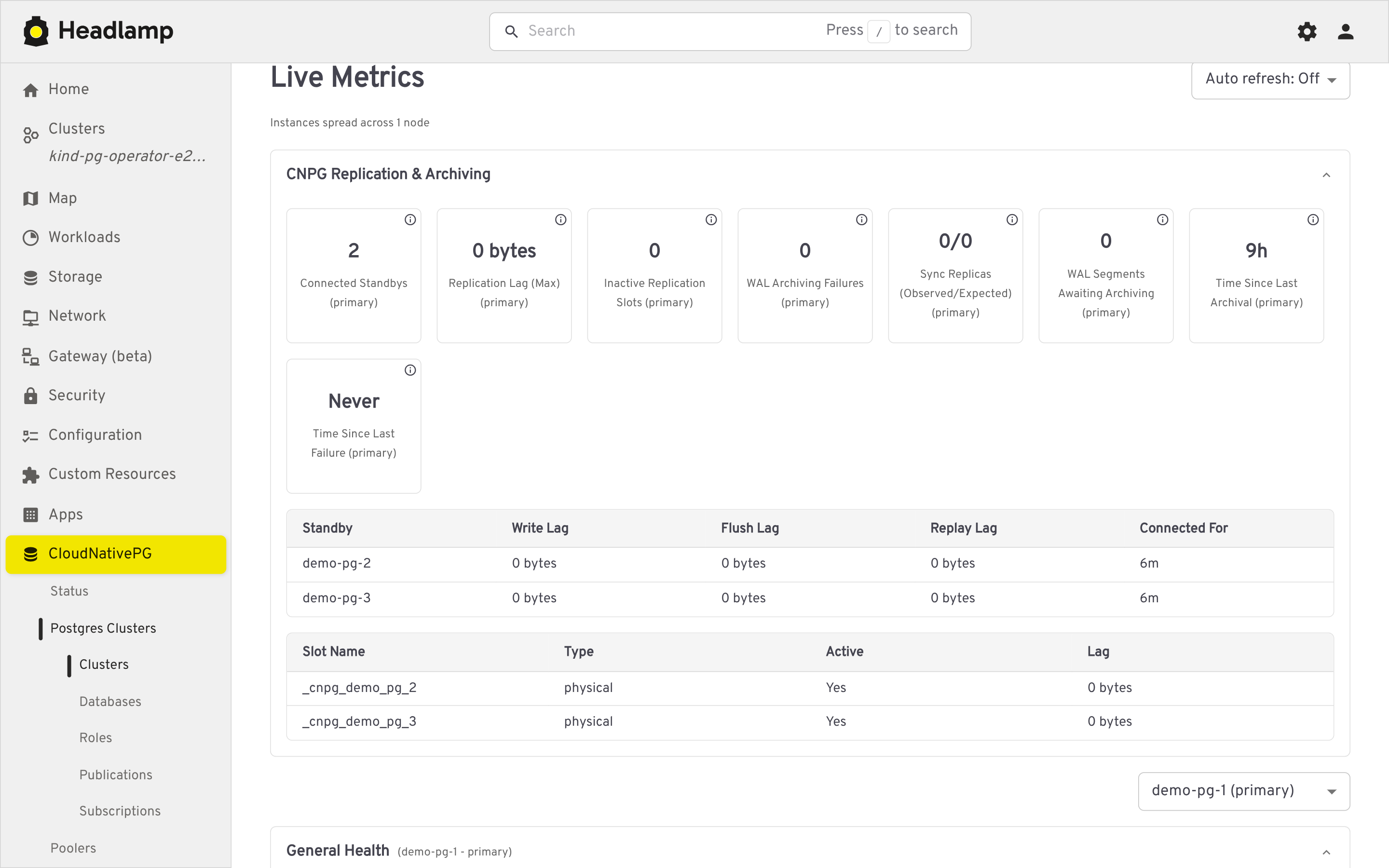
psqlterminal against the primary or any replica - A Live Metrics section on the cluster's detail page, scraped from each instance's CNPG Prometheus exporter (port 9187) via the Kubernetes API's pod proxy subresource — no
psqlor exec involved. It is organized into collapsible categories:- Replication & Archiving (primary only): connected standbys, replication lag, inactive slots, WAL archiving failures, backlog and timing, sync replica counts, plus per-standby and per-slot detail tables
- General Health and Checkpointing (switchable per instance via a dropdown): connections, cache hit ratio, database size, blocked and long running queries, deadlocks, checkpoint and restartpoint counts
- Database Health: transaction ID and multixact age, rollback ratio, temp file spill, and extension updates, per database
- A status strip flags fencing, a pending manual switchover, or available extension updates when applicable. Tiles show an (i) icon with a short description and the underlying
cnpg_*metric name(s), with an optional automatic refresh interval (15s/30s/60s or off, matched to the exporter's own 30 second refresh cadence)
- A manual switchover action to promote a chosen replica to primary
- Leader-election lease details (holder, acquire/renew time, duration, transitions) alongside the cluster's main info
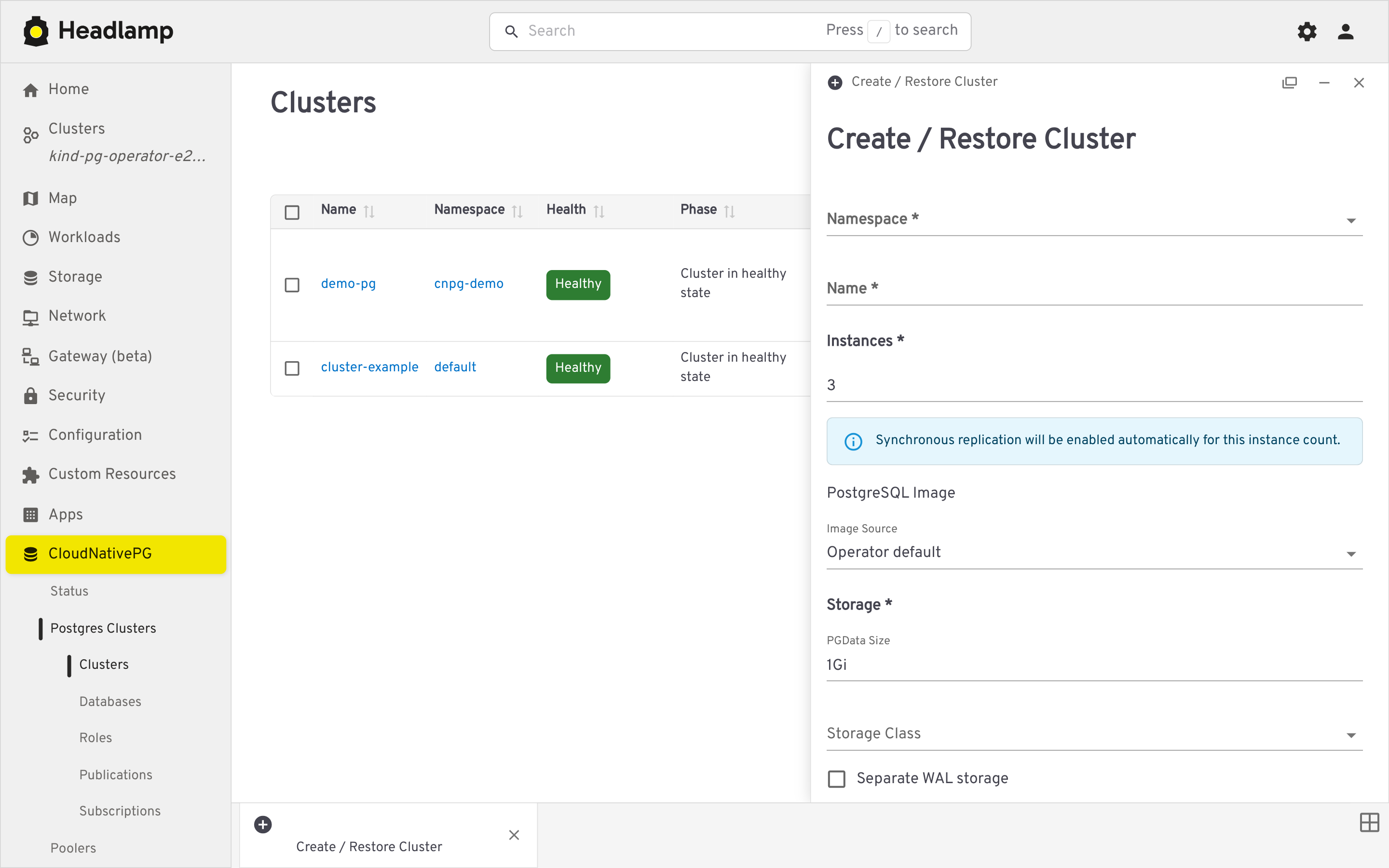
- Creation form (with live YAML preview) covering instances/HA, storage and tablespaces, backup configuration, volume snapshots, and bootstrap — including bootstrapping a new cluster from an existing backup
List/detail views and a guided creation form.
On-demand backups with status tracking, created against the Barman Cloud plugin or via volume snapshots (not the deprecated in-tree barmanObjectStore).
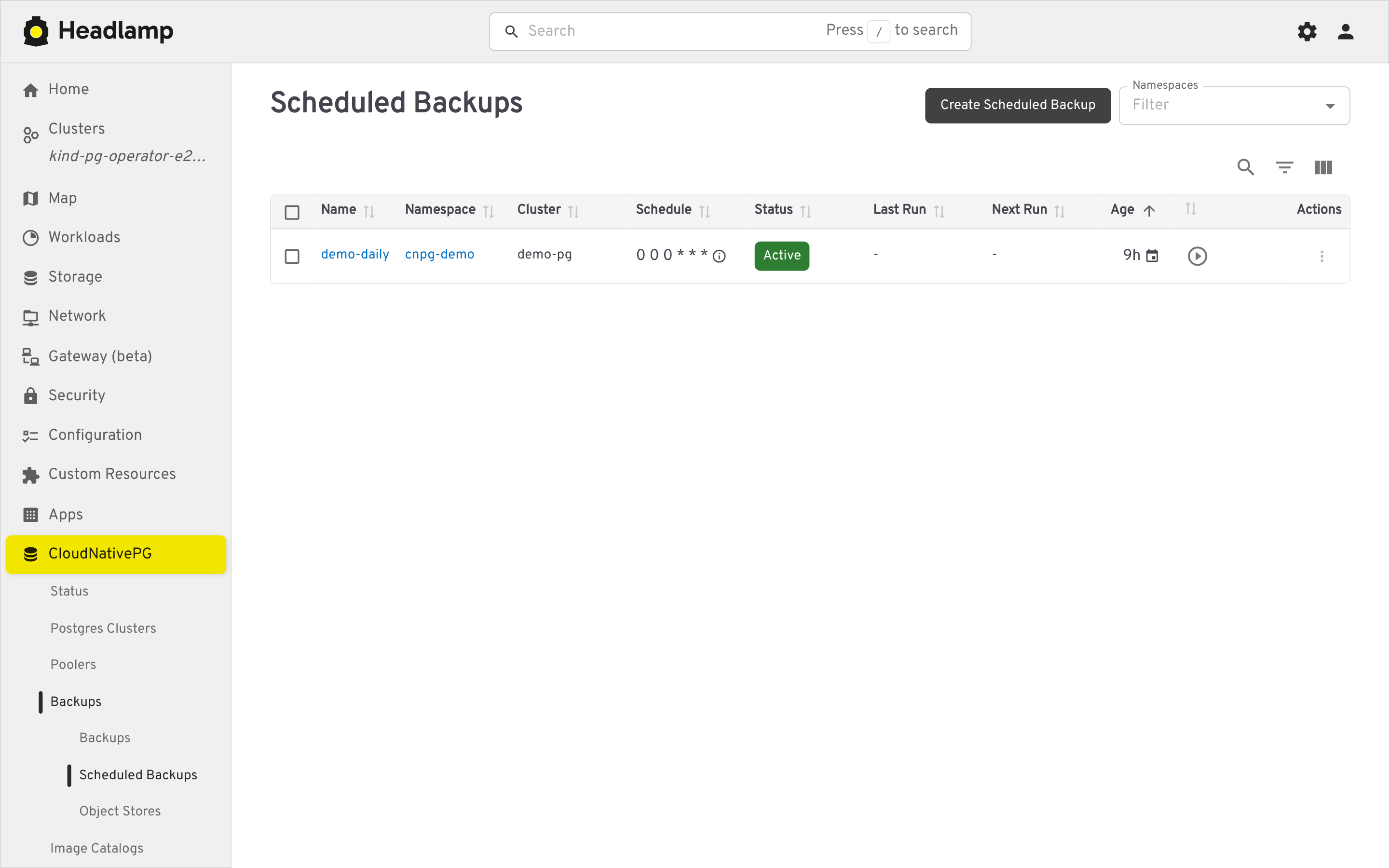
- Graphical cron editor (Daily/Weekly/Monthly, plus a raw-text advanced mode) with a humanized schedule description
- A "trigger now" action
Manage the ObjectStore CRs backing the Barman Cloud plugin, with a "referring clusters" section showing which clusters use each store for backup and/or recovery.
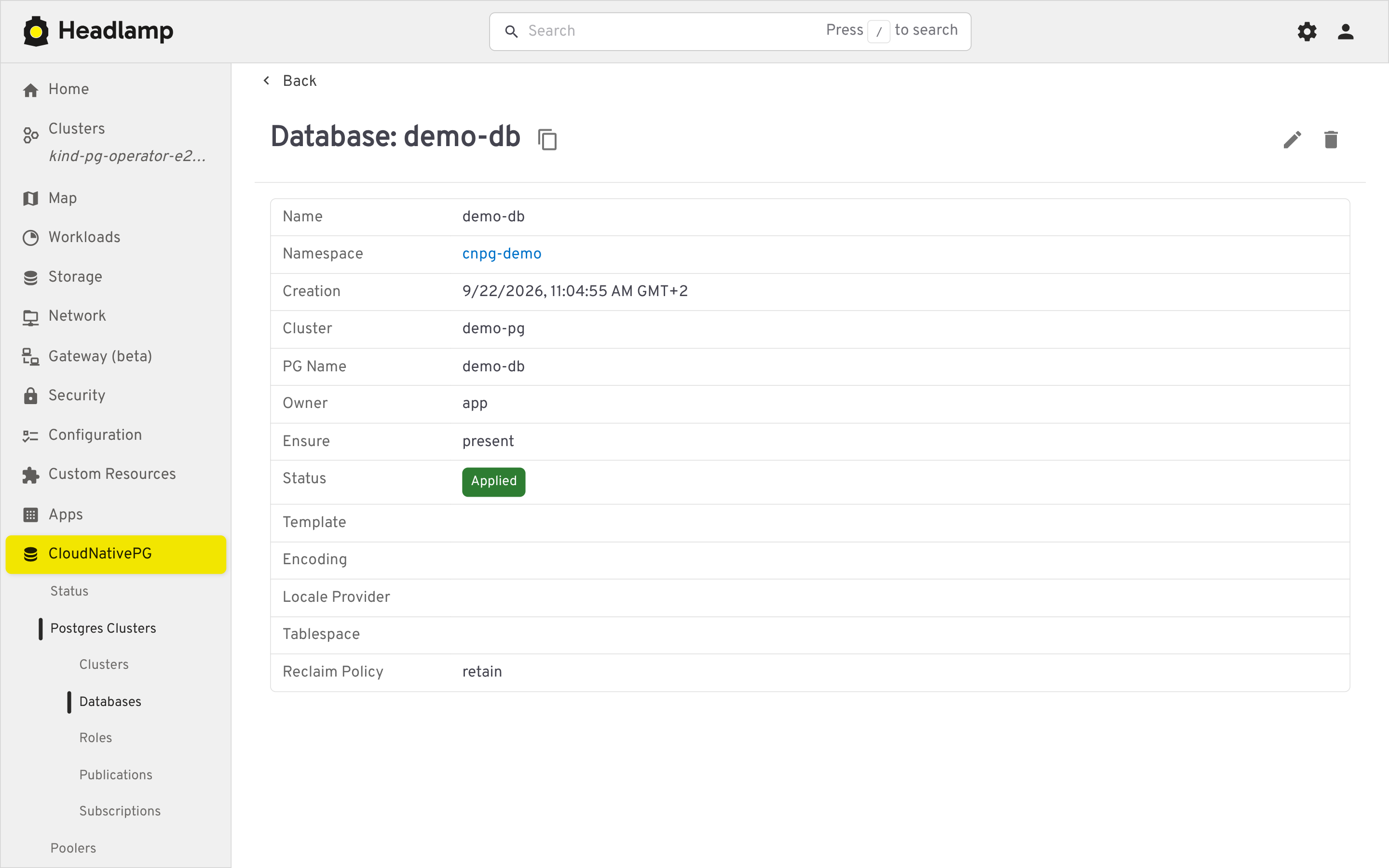
List/detail/create views for Database, DatabaseRole, Publication, and Subscription, each showing reconciliation status.
List and detail views for managing available Postgres operand images.
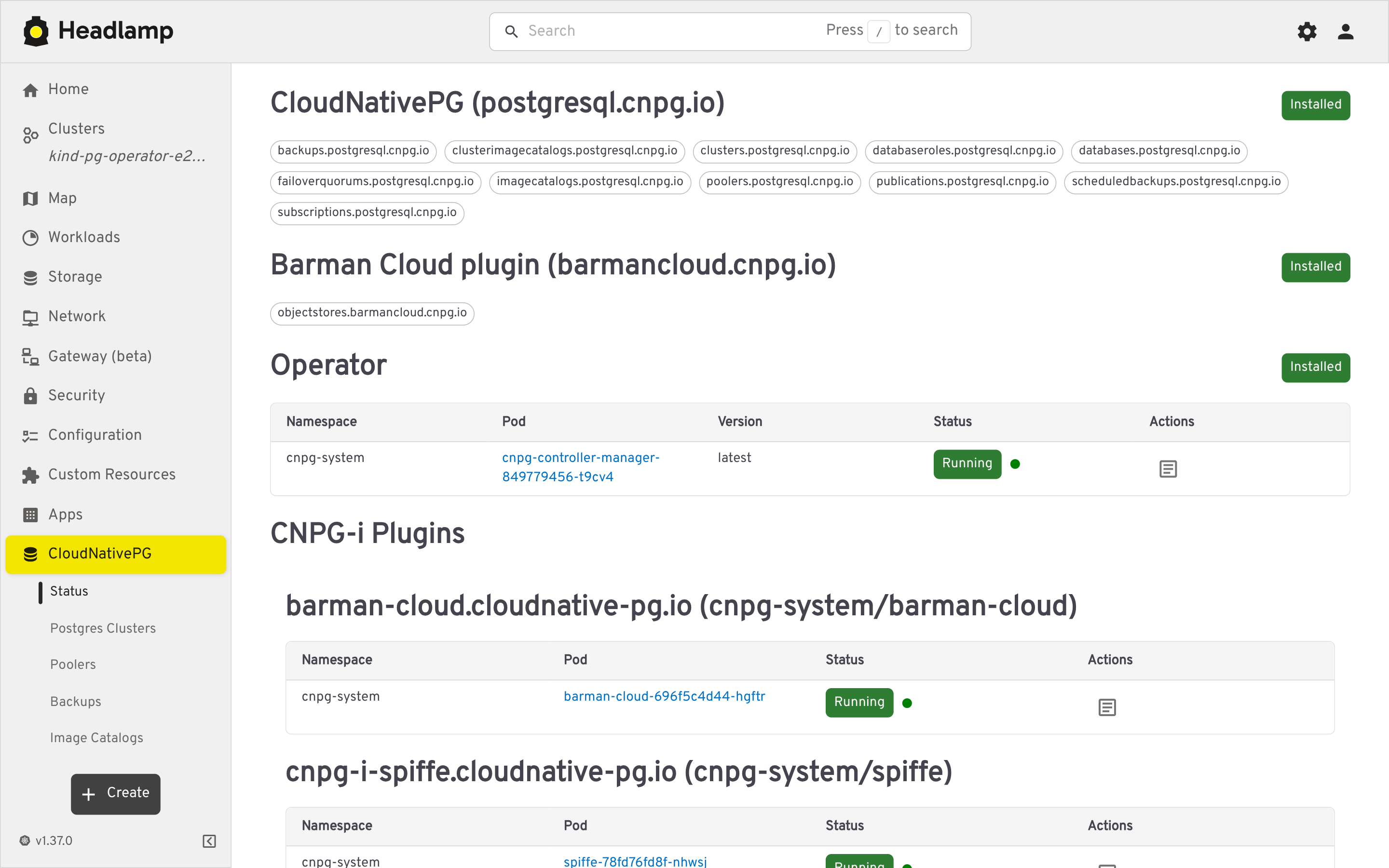
- Installed CNPG CRDs and operator pod health
- Detected CNPG-i plugins (e.g. Barman Cloud), with quick access to their logs
- Headlamp >= 0.42 (Desktop, in-cluster, web, or Docker Desktop)
- A Kubernetes cluster with the CloudNativePG operator installed (the plugin manages CNPG custom resources)
- Open Headlamp and go to the Plugin Catalog
- Search for
cnpg-headlamp-pluginand click Install - Reload the UI (via the notification, or Navigation menu > Reload) — a CloudNativePG section appears in the sidebar
- Download the
cnpg-headlamp-plugin-<version>.tar.gzarchive from the GitHub Releases page - Install it following the Headlamp plugin installation documentation
See CONTRIBUTING.md for development setup, the live-load smoke check, and regenerating screenshots.
Licensed under the Apache License 2.0.