

Seamlessly work with Jira Cloud directly inside VS Code. Create, edit, and manage issues without leaving your editor.
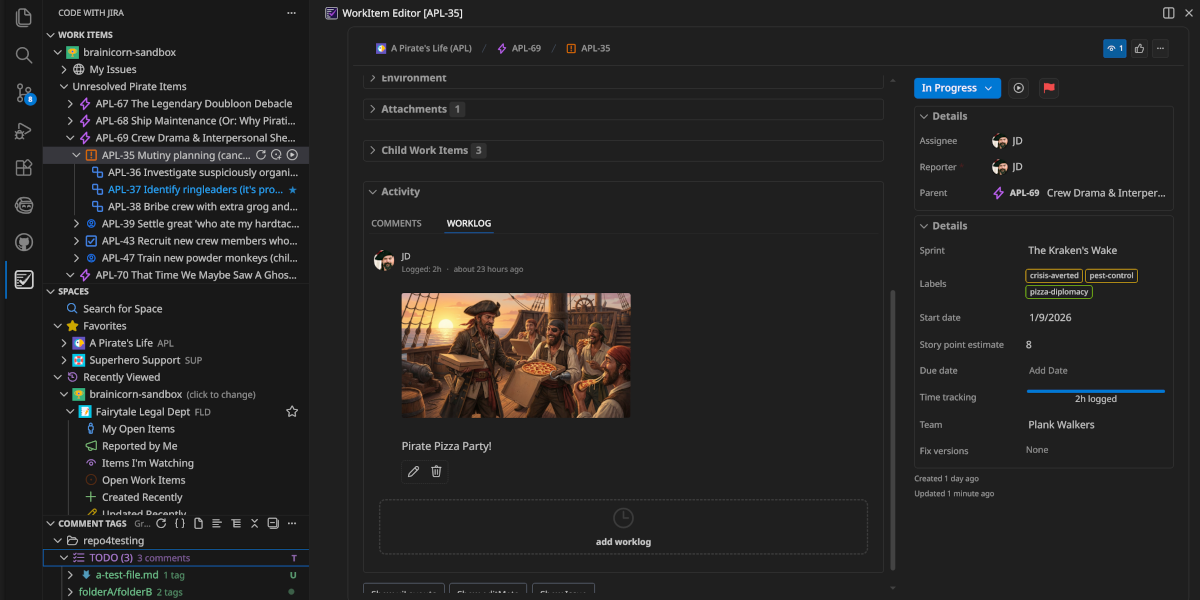
After working on Jira integrations at Atlassian, I kept running into the same problems:
- Slow, clunky workflows
- Features that break in real-world setups
- Too much context switching
So I rebuilt it from scratch—focused on speed, reliability, and daily use.
- Browse and search issues
- Create and edit issues
- Transition workflow states
- Delete issues (yes, really)
- Link branches and commits
- Stay inside your editor
- Install from the VS Code Marketplace
- Open Command Palette (
Cmd/Ctrl + Shift + P) - Run:
Code with Jira: Add Jira Site - Authenticate and start working
Browse your Jira issues in a fast, familiar tree view with custom JQL queries.
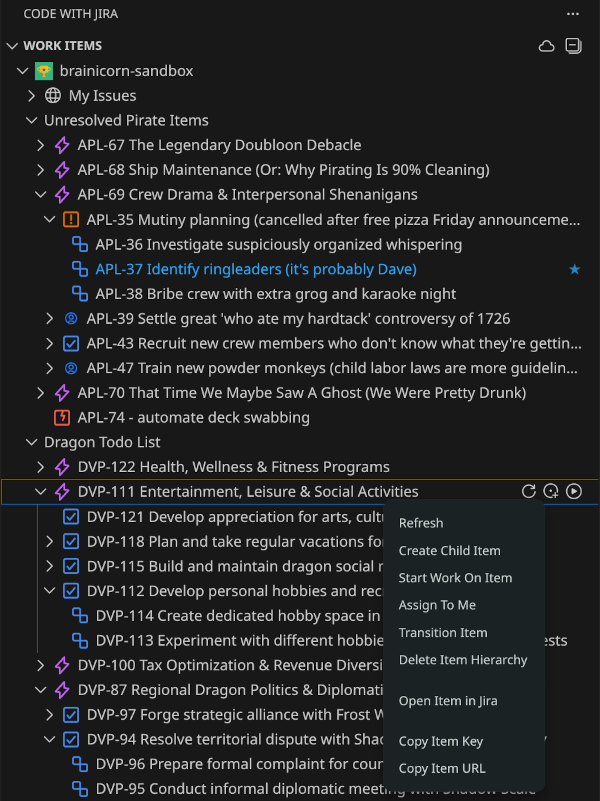
View and edit issues with support for:
- Rich text (Atlassian Document Format)
- Status transitions
- Sub-tasks and relationships
- Custom fields
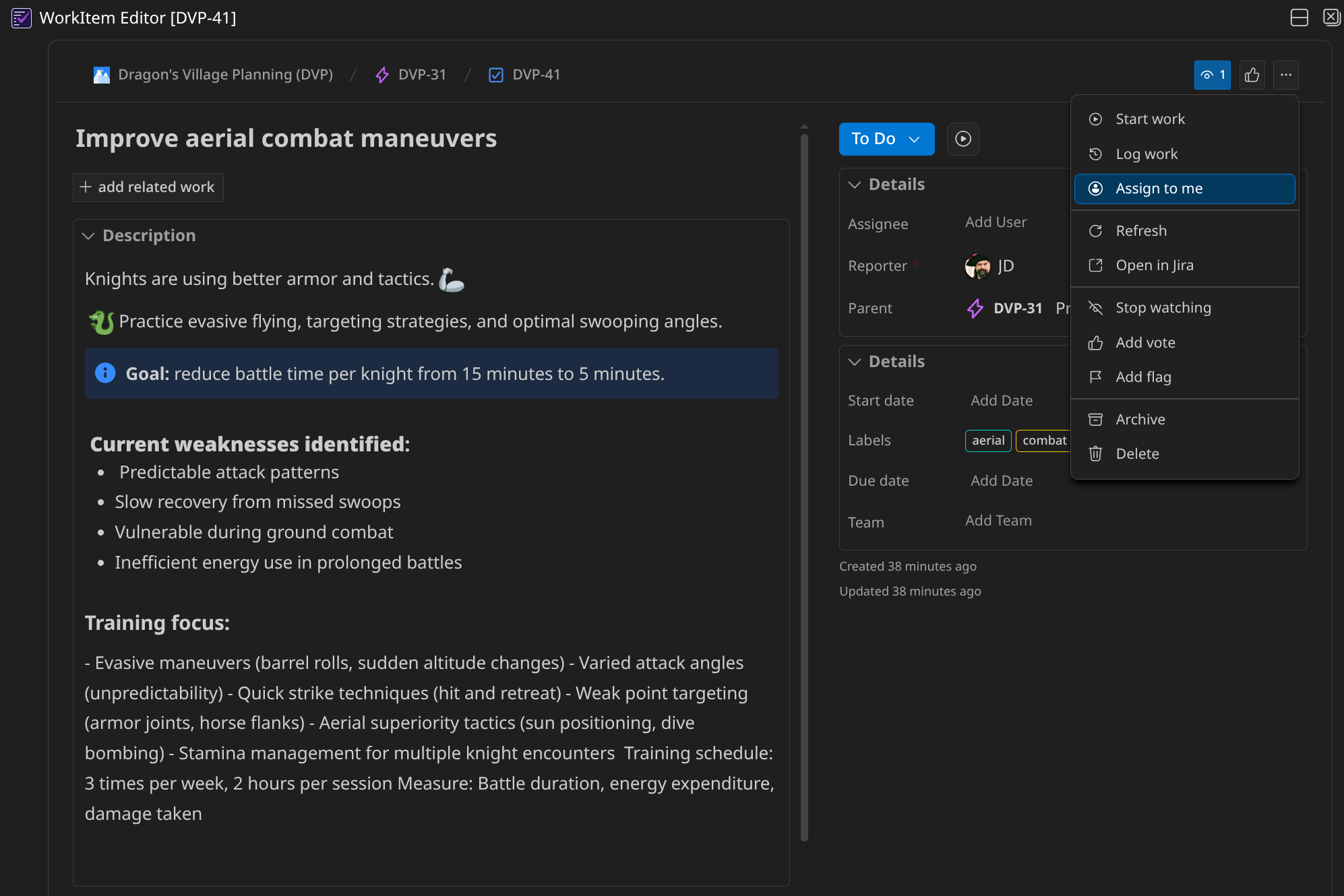
- Create a branch
- Transition status
- Assign to yourself
- Optionally track time
All in one action.
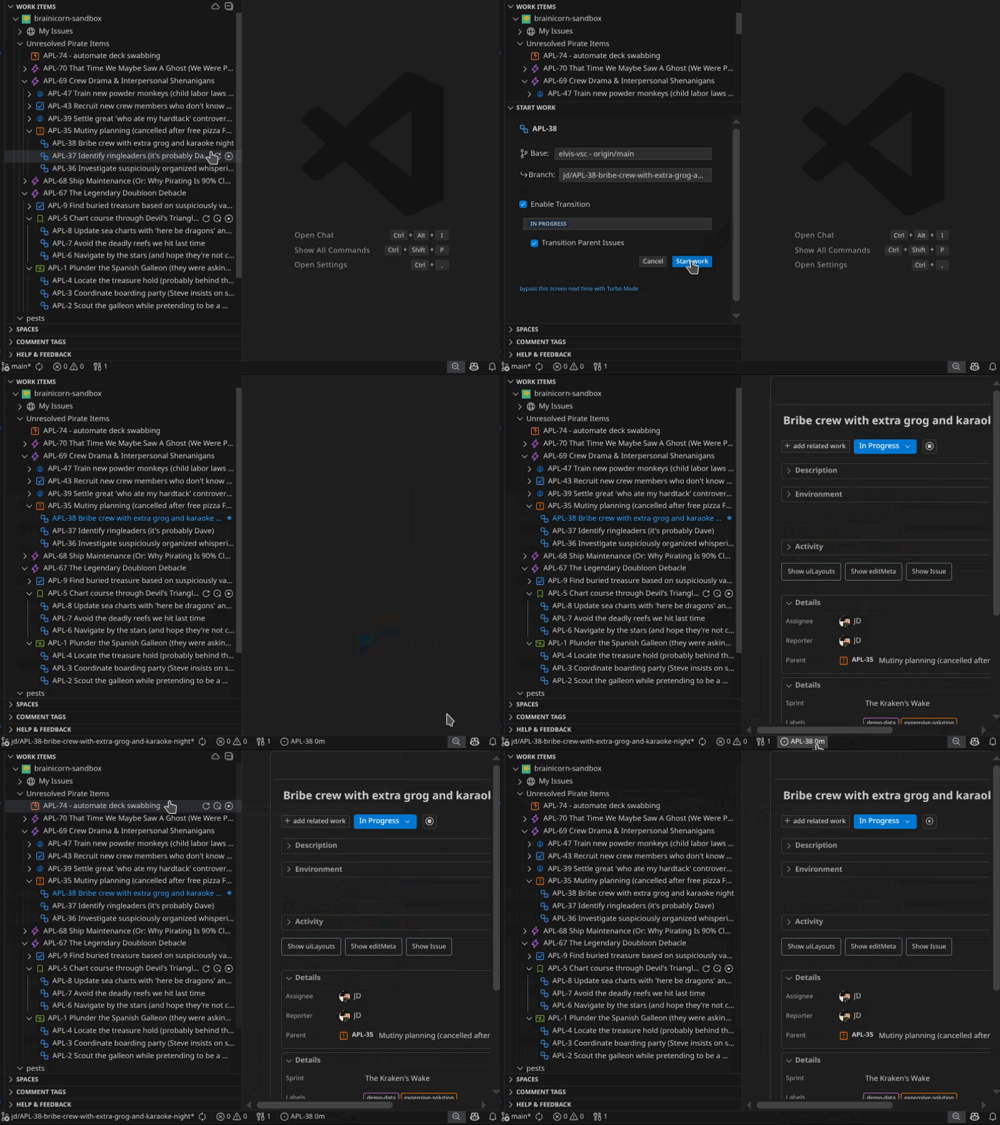
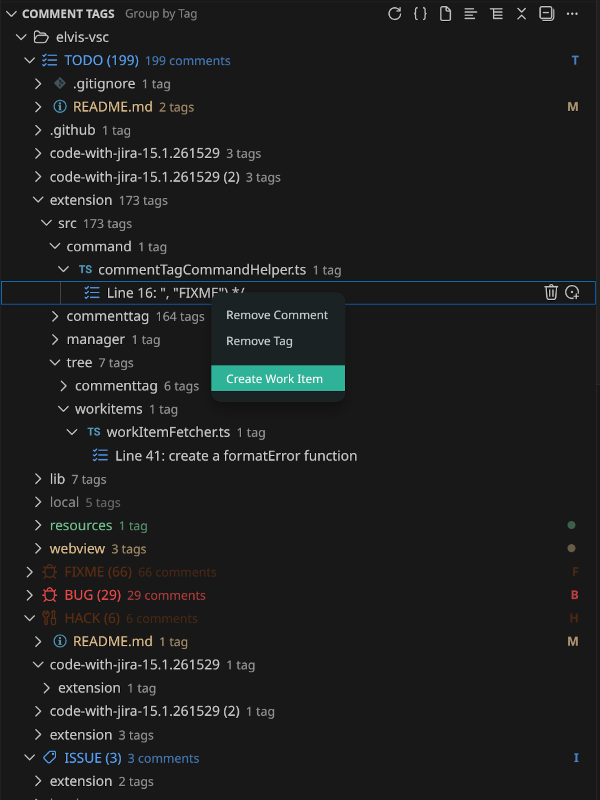
Track TODO, FIXME, and custom tags across your workspace and turn them into Jira issues.
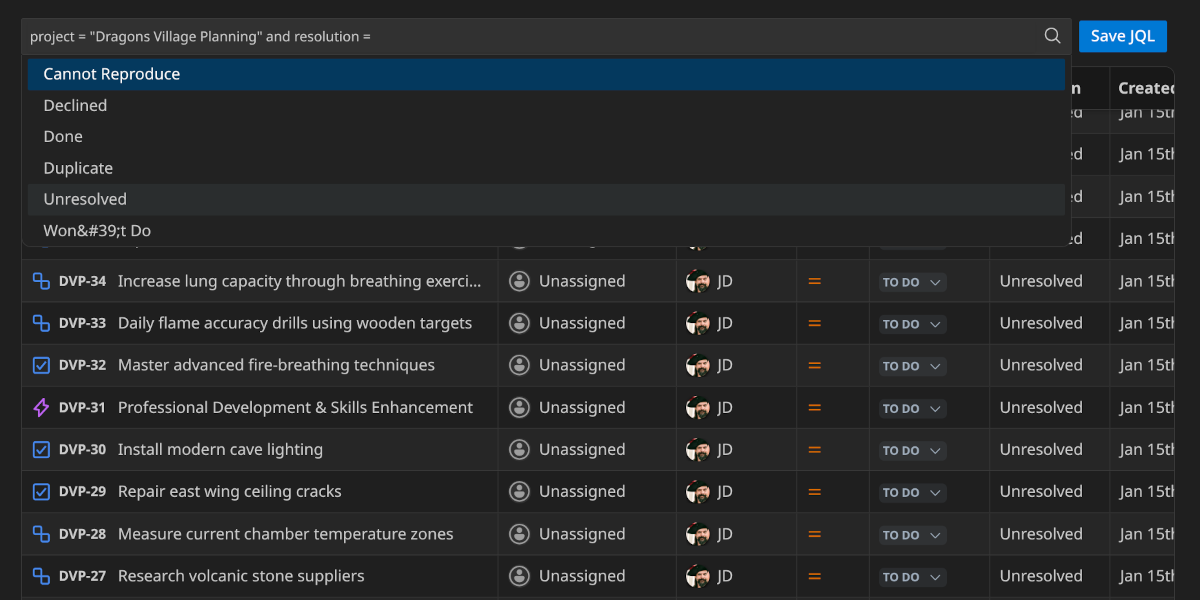
Write and test queries with auto-completion and instant results.
Integrates with GitHub Copilot to support:
- Natural language issue creation
- Task planning
- Workflow automation
AI features can be fully disabled if you prefer a manual workflow.
- Built for real-world Jira setups (not just ideal cases)
- Focused on core workflows that always work
- Fast enough to stay in your flow
- Developers who live in VS Code
- Teams that rely on Jira daily
- Anyone tired of switching tabs all day
- Free trial
- $14/year
- Slack: https://www.brainicorn.com/slack
- GitHub Issues: https://github.com/brainicorn/code-with-jira/issues
- Support: https://www.brainicorn.com/support
More detailed documentation and videos are coming soon.
See LICENSE.txt for details.