
| title | Pictorium |
|---|---|
| emoji | 🖼️ |
| colorFrom | indigo |
| colorTo | purple |
| sdk | docker |
| app_port | 8080 |
| pinned | false |

🇬🇧 Read in English • 🇮🇹 Leggi in Italiano
Textless clean posters, high-definition vector logos, IMDb/TMDB/Rotten Tomatoes ratings, 4K streaming quality badges, live Netflix Top 10 ribbons, and smart season splitting. All rendered on the fly with Sharp C++ & SVG.






Tip
🚀 Free public instances: create your personal space with your TMDB key on pictorium.duckdns.org (community VPS) or on pictorium.elfhosted.com (ElfHosted).
🧝 Hosted private instance: deploy your own dedicated instance 1-click on ElfHosted.
💬 Join the community on Discord for support, updates, bug reports, and feature requests.
☕ Support the project on Ko-fi to help keep the public VPS running.
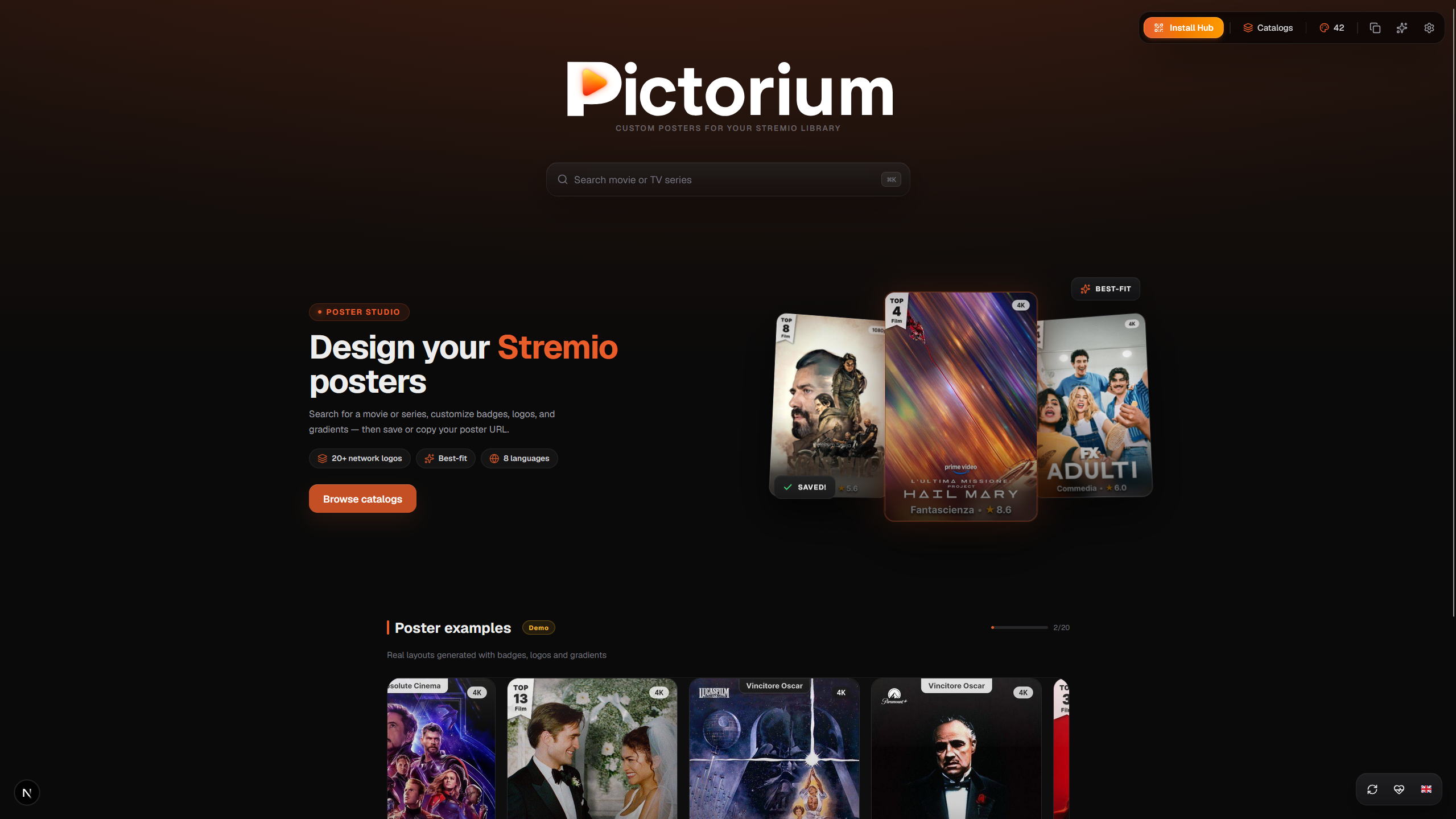
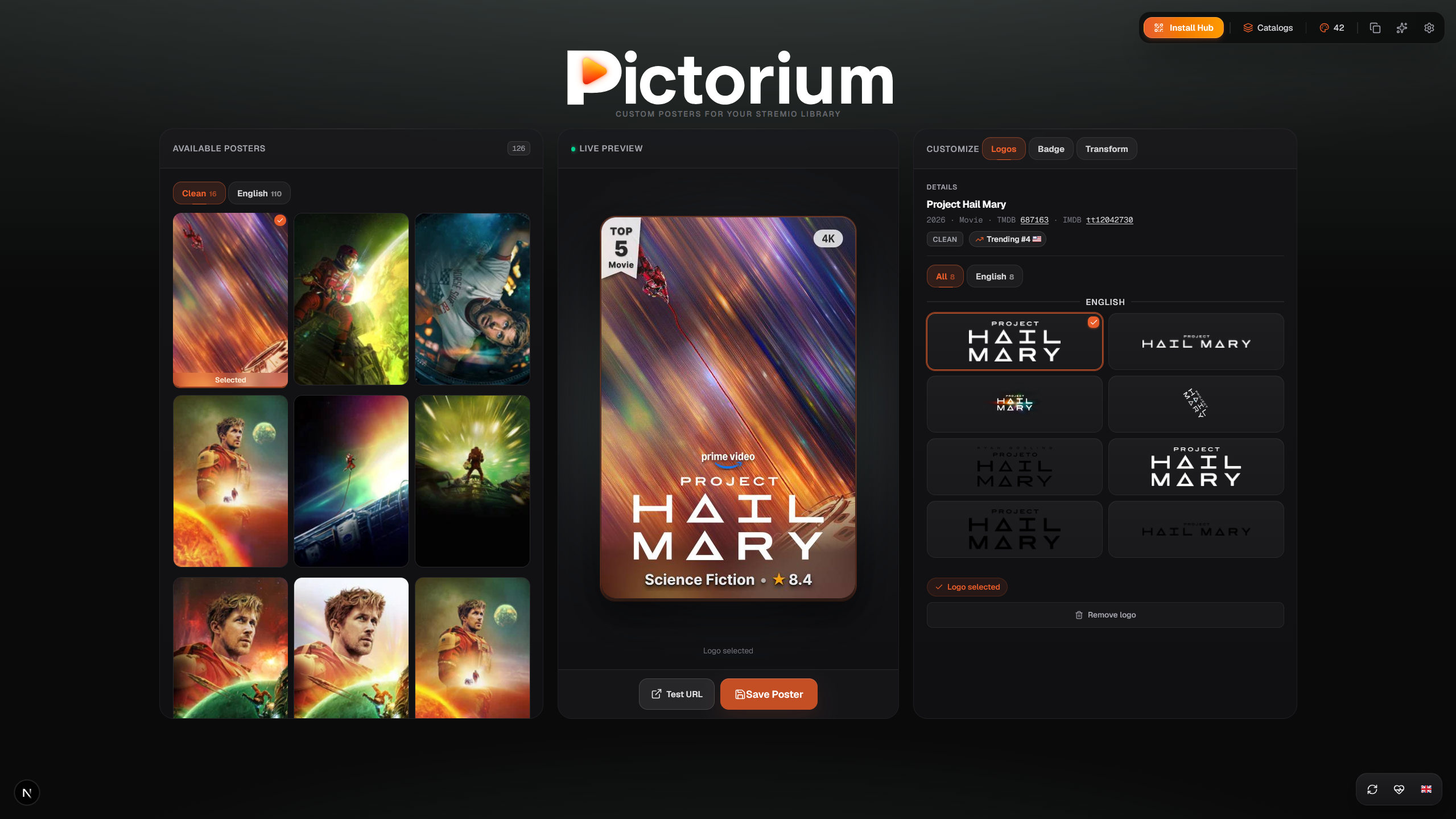 |
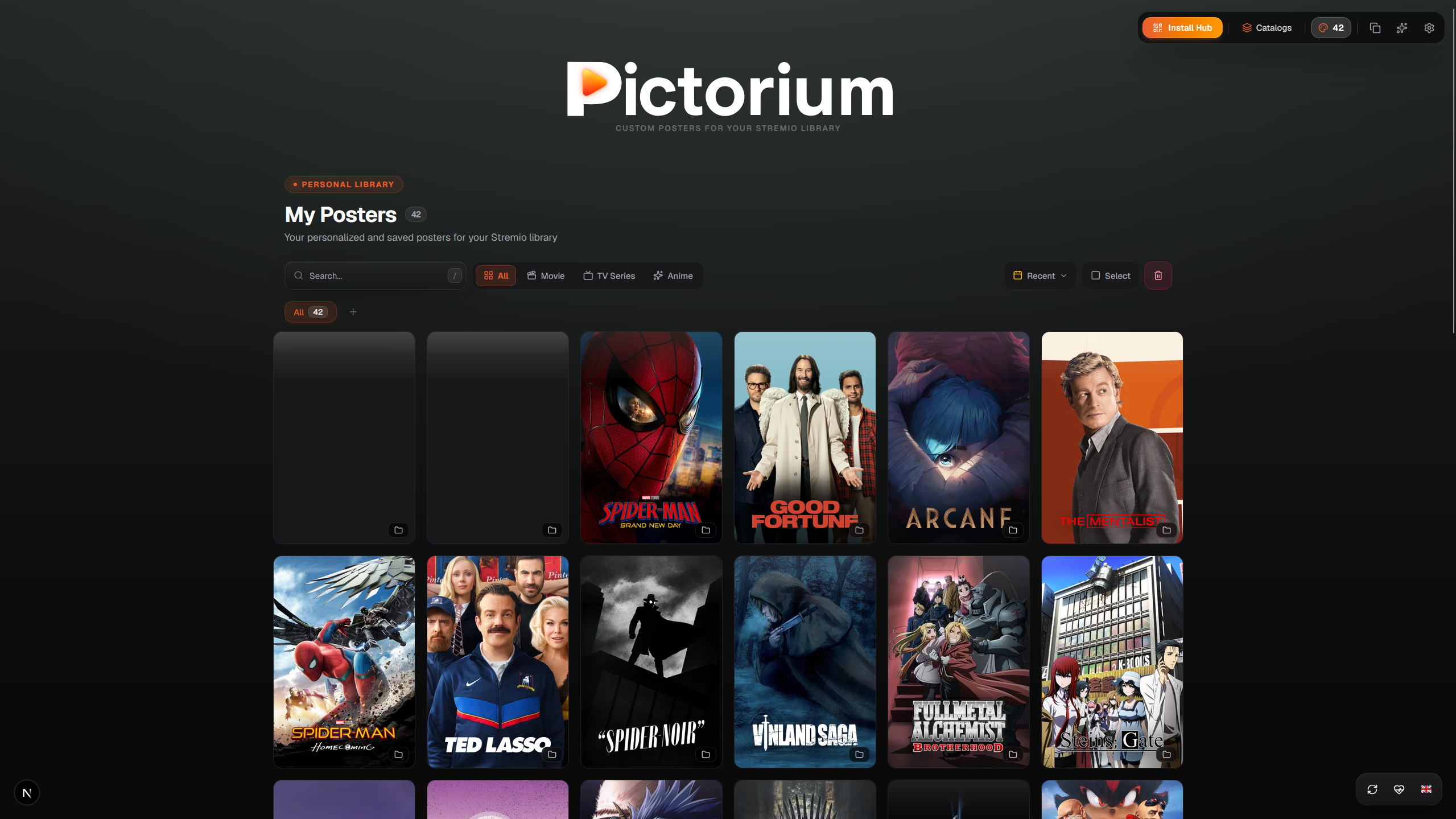 |
| WYSIWYG Editor & Live Preview | My Posters & Personal Library |
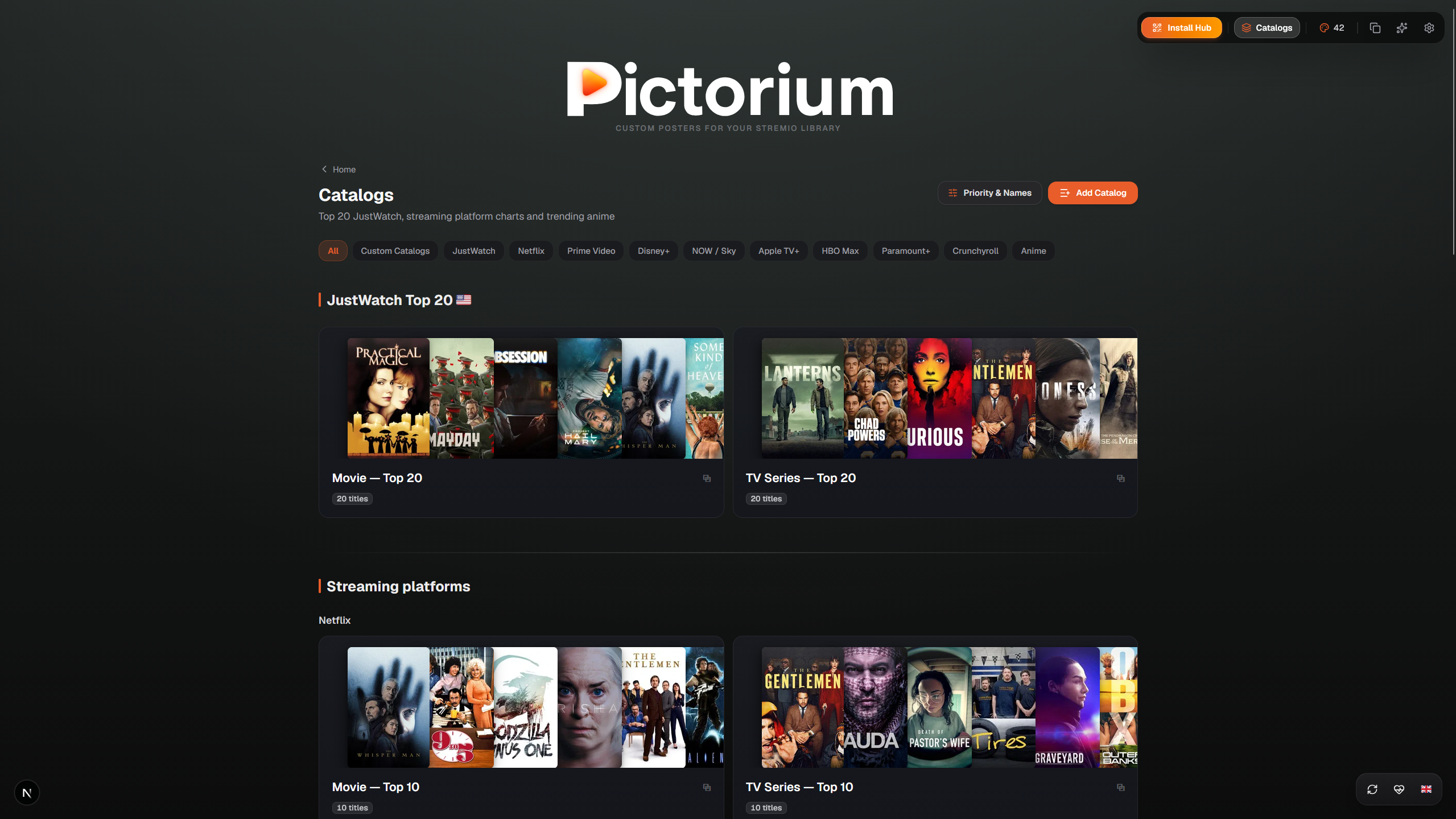 |
|
| Dynamic Catalogs & JustWatch Streaming Charts | |
 |
|
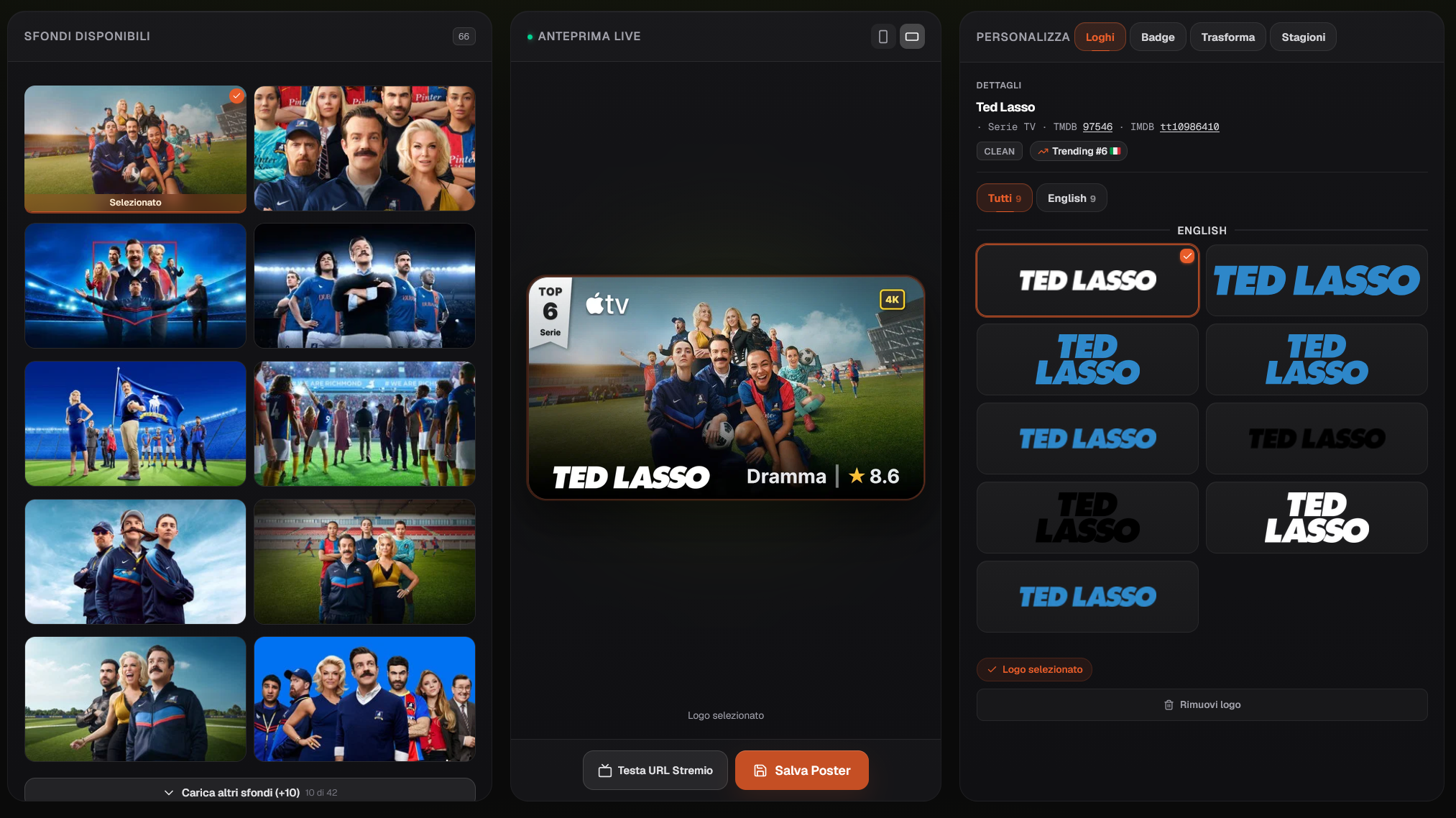
| Landscape 16:9 Editor: backdrops, baked-in logo & Live Preview | |
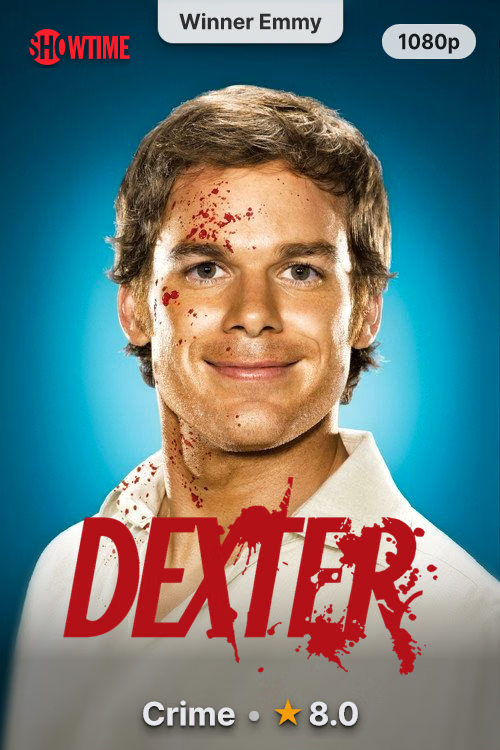
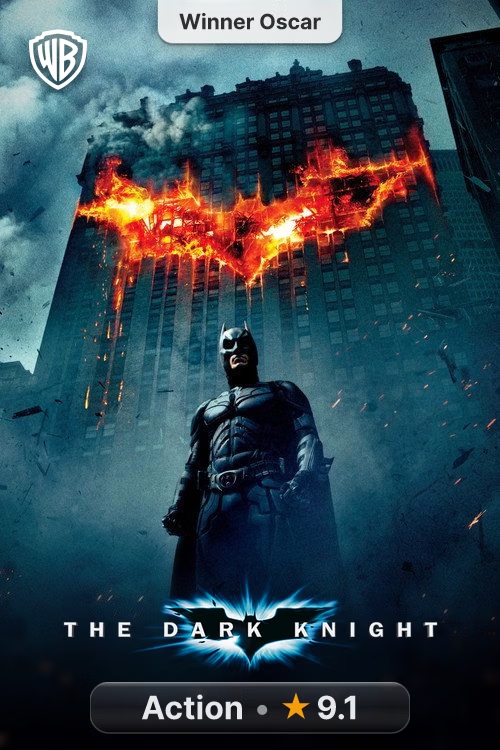
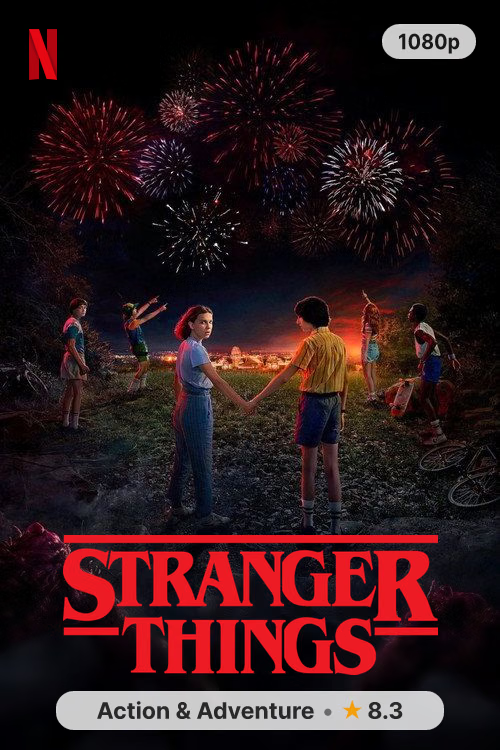
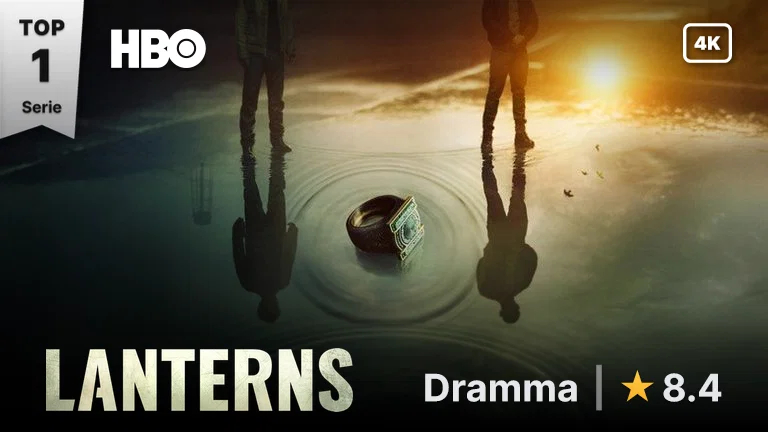
16:9 landscape poster with baked-in logo, rank ribbon and genre badge
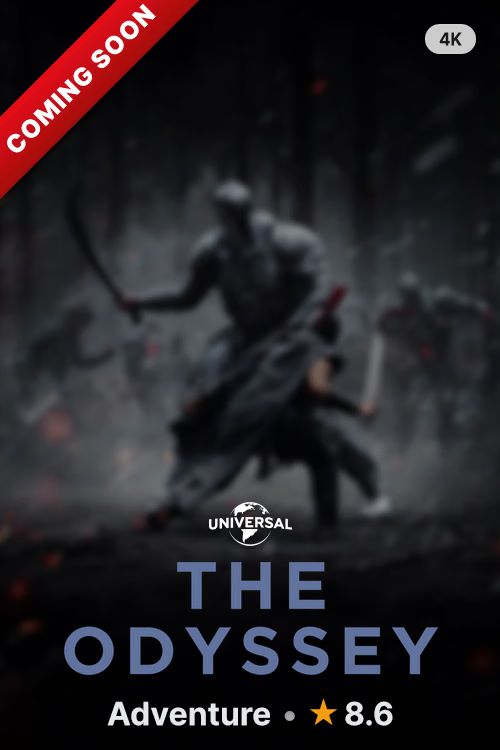
Pre-Digital Effect: dark veil + "Coming Soon" ribbon on movies not yet streaming
| Feature | Description |
|---|---|
| 🎯 WYSIWYG Graphics Engine | A single endpoint (/api/poster/{type}/{id}) powered by Sharp C++ and SVG serves both the real-time web preview and the final poster on Stremio, Nuvio, and media centers with pixel-perfect sync. |
| 📦 100% Standalone Addon | Directly delivers rich metadata cards, multilingual synopses, transparent logos, 4K backdrops, YouTube trailers, and full seasons with thumbnails and translated episodes to Stremio. |
| 📺 Smart Parts & Anime Splitting | Automatically detects Original Parts (Money Heist, Lupin) and splits giant single-season anime entries on TMDB (Re:ZERO, Jujutsu Kaisen) into their true release seasons. |
| 🏷️ Quality Badges & Ratings | Real-time video resolution detection (4K/FHD/HD), aggregated ratings from over 16 sources (IMDb, TMDB, Rotten Tomatoes, Letterboxd, MAL), Academy/Cannes awards, and Netflix Top 10 ribbons. |
| 🌐 Custom Catalogs & Lists | Import watchlists and custom lists from Letterboxd, Trakt, TMDb, TheTVDB (your API key), MDBList, plus official IMDb CSV exports, along with real-time trending charts via JustWatch GraphQL. |
| 🌍 Dynamic Multilingual UI | Fully localized interface in 17 languages with instant real-time language switching without page refresh. |
| 🔒 PIN Protection & User Spaces | PIN code lock protection for single instances, or full multi-user support with isolated spaces, AES-256-GCM encryption, and full-space backup/restore. Stremio manifests and posters remain permanently functional. |
| ⚡ Zero Cache Conflicts | Deterministic versioning with automated RENDER_VERSION and APP_VERSION. Change any styling parameter and Stremio updates cached images immediately. |
- Clean Poster Selection: Select textless posters with one click from official TMDB candidates (
iso_639_1 === null). - Custom Poster URL Import: Import any artwork via direct URL, Pinterest, Imgur, or Reddit with live preview, tile management, and persistent custom artwork.
- Smart Best-Fit Algorithm: Analyzes brightness and empty space to automatically scale and position logos without obscuring faces.
- Cinematic Background Blur (Sharp C++): Progressive intensity toward the base with same-hue scene tint, quadratic darkening and anti-seam, in a few ms with minimal RAM usage.
- 24h Auto-Rotation: Automatically rotates through multiple saved clean posters daily for the same title.
- Official Network Logos: Automatic detection and embedding for Netflix, Prime Video, Disney+, Apple TV+, HBO Max, Paramount+, Sky/NOW, Crunchyroll, Rai, Mediaset and 30+ studios (Marvel, Pixar, Ghibli, Warner Bros, A24).
- ✨ Streaming Quality (4K / FHD / HD / SD): Detected live from Stremio video streams with automatic fallback to JustWatch.
- 7 Genre & Rating Badge Styles: Shadow, Pill, Bar, Colored, Border, Glass, Minimal (
Genre | Rating | Year) with adaptive palette matching the poster. - Vertical Netflix Top 10 Ribbon: The iconic red side ribbon with live rank position (dedicated support for Anime series).
- Film Awards & Accolades: Automatic recognition of Oscars, Cannes, BAFTA, Emmy, and the "Absolute Cinema" badge for IMDb Top 250 titles.
- Always-in-Sync Charts: Top 10/20 badges track live charts; if a title leaves the ranking, its badge updates automatically.
- ✨ Pre-Digital Effect (Coming Soon): For movies out in theaters but not yet streaming (detected via JustWatch/TMDB): darkened poster with a red "Coming Soon" corner ribbon.
- 🔌 Custom Rating Provider: Display external ratings from any HTTP(S) API (via IMDb ID) with dedicated pills. See docs/custom-rating.md.
- ✨ Smart Parts Detection: Automatically detects split-part series like Money Heist (5 parts) or Lupin (4 parts).
- 🌀 Anime Season Unpacking: Fixes TMDB's compression of multi-season anime into a single season, restoring official seasons (S1, S2, S3, S4 + Specials in S0).
- TVDB & AniZip Support: Manually select alternate ordering from TheTVDB (Aired, DVD, Absolute, Alternate) or AniZip (AniList / AniDB).
- Live Episode Preview: See exactly how seasons, episode titles, and thumbnails will appear on Stremio before saving.
- Batch Poster Management: Multi-select saved posters in "My Posters" to perform batch deletions and keep your collection tidy.
- Full Space Backup & Restore: One-click export and import of your entire space configuration, saved posters, custom presets, and preferences.
- Nuvio & AIOMetadata Auto URL: Dedicated poster template URLs for external catalog managers (e.g. Nuvio and AIOMetadata) with automatic TMDB ID resolution.
User spaces default to Follow my space: copy the new template once to use saved changes without replacing the link again. Fixed settings in the link remains available under advanced options and existing templates keep their explicit overrides. The automatic Nuvio variant still lets the client choose the image shape.
Follow links (
live=1) require HTTP revalidation and reuse fresh internal renders. AIOMetadata and other image proxies must honor that policy; refresh any previously cached image using the controls available in your installed version. New headers cannot purge existing external copies, and an already displayed poster updates only when the client requests it again. Live rankings and other upstream data retain their internal refresh schedules.
- Lock on Launch & Refresh: Password prompt appears on app launch and page reload (F5) to protect your settings and saved posters.
- Quick Setup: Configure your PIN code in seconds during Step 3 of the setup wizard, or manage it anytime in Settings.
- Zero Stremio Impact: PIN only protects the web editor; Stremio endpoints (
/manifest.json,/api/poster/*,/catalog/*) remain open and functional. - Rotation: when a PIN is set using an admin token, rotating
PICTORIUM_ADMIN_TOKENautomatically invalidates it (cryptographic binding against persistence). After rotating the token, simply set a new PIN if desired.
When PICTORIUM_MULTI_USER=1 is enabled, multiple users can share a single server with complete isolation:
- Personal Space via UUID: Each user has their own URL (
/u/<uuid>/configure) with separate mappings, preferences, and API keys (TMDB, MDBList, TVDB, Simkl, Fanart.tv). - Encrypted at Rest: User API keys are stored encrypted on disk using AES-256-GCM via
PROFILE_ENCRYPTION_KEY. - Authentication & Recovery:
- Session Password: Required on each visit to unlock the editor (never stored permanently in the browser).
- Recovery Key (Secret): Single-use code shown upon account creation to recover access or rotate credentials.
- Anti-Brute-Force Protection: Automatic rate limiting on incorrect password attempts to prevent attacks.
📢 To report vulnerabilities privately (never via public issues), see SECURITY.md.
| Platform | Cost | Type | Persistence | Best For |
|---|---|---|---|---|
| ▲ Vercel | Free | Serverless | Upstash Redis (KV) | Recommended: 1-click, zero maintenance, global CDN (📺 Video Guide) |
| 🐳 Docker Compose | Free | Container | Local Volume (/data) |
NAS, Home Server, mini-PC (Unraid, TrueNAS, CasaOS) |
| 🤗 Hugging Face | Free | Docker (16GB RAM) | Storage Bucket | Great free RAM for shared instances |
| 🦾 Oracle Cloud | Free | VPS ARM (24GB RAM) | Local Disk | Dedicated free always-on cloud server |

📺 Video Tutorial: Follow the step-by-step YouTube guide to complete setup in under 2 minutes.
- Get your free TMDB API Key:
- Sign up at themoviedb.org and head to Settings → API.
- Copy the API Key (v3 auth) (32-character string).
- Fork the repository:
- Click Fork at the top right of github.com/Eful97/Pictorium.
- Import to Vercel:
- Sign in to vercel.com and click Add New… → Project.
- Import your Pictorium fork and configure Environment Variables:
PICTORIUM_TMDB_KEY= your TMDB v3 keyPICTORIUM_PUBLIC_INSTANCE=1
- Click Deploy.
- Connect Upstash Redis Database (Free):
- Once deployed, open the project dashboard on Vercel.
- Go to Storage → Connect Store → Upstash (Redis) and click Create & Connect.
- Redeploy:
- Under the Deployments tab, click the three dots (⋯) on the latest deployment and select Redeploy.
- Install on Stremio:
- Open your instance URL (e.g.
https://your-pictorium.vercel.app), complete the initial setup wizard, and click Install to Stremio!
- Open your instance URL (e.g.
Future Updates: To update your instance, simply open your GitHub fork and click Sync fork → Update branch. Vercel will automatically redeploy in 60 seconds while preserving your database and settings.
Use the docker-compose.yml already included in the repo (hardening, healthcheck and persistent posterium-data volume preconfigured) — no need to write one by hand:
git clone https://github.com/Eful97/Pictorium && cd Pictorium
cp .env.example .env
Fill in at least PICTORIUM_TMDB_KEY and PICTORIUM_ADMIN_TOKEN (a long secret of your choice) in .env, then:
docker compose up -dThe first start builds the image locally (a few minutes, longer on ARM). To start immediately with the prebuilt image:
docker compose pull pictorium && docker compose up -d --no-build. Admin routes are closed by default: paste the token in Settings → Admin token (session only) to use warmup, cache and saves from the UI. Only on a trusted LAN you may usePICTORIUM_PUBLIC_INSTANCE=1instead of the token.If you came from the old example with a
pictorium-datavolume and already have saves, copy them before switching to the repo compose:docker run --rm -v pictorium-data:/from -v posterium-data:/to alpine cp -a /from/. /to/
Your instance and Stremio manifest will be accessible at http://<SERVER-IP>:8080.
👉 Other installation methods (ElfHosted, Hugging Face, Oracle Cloud, VPS Caddy, Termux)
For users who prefer not to manage servers, ports, or Docker: launch a private, hosted Pictorium instance on Kubernetes directly from ElfHosted, with automatic HTTPS, persistent storage, and zero-maintenance updates.
- Create a Space on Hugging Face using the Docker SDK pointing to
Eful97/Pictorium. - Under Settings → Variables and secrets:
NODE_OPTIONS=--max-old-space-size=1024PICTORIUM_PUBLIC_INSTANCE=1PICTORIUM_TMDB_KEY= your TMDB key
- Under Settings → Storage, attach a Storage Bucket mounted to
/data.
sudo apt update && sudo apt install -y docker.io docker-compose-v2
git clone https://github.com/Eful97/Pictorium && cd Pictorium
cp .env.example .env
Fill in PICTORIUM_TMDB_KEY and PICTORIUM_ADMIN_TOKEN in .env, then sudo docker compose up -d (uses the repo compose). Then paste the token in Settings → Admin token (session only). On an exposed instance do not use PICTORIUM_PUBLIC_INSTANCE=1.
yourdomain.com {
    reverse_proxy pictorium:8080
}
On a public domain protect the editor with PICTORIUM_ADMIN_TOKEN (unlock in Settings → Admin token), not with PICTORIUM_PUBLIC_INSTANCE=1.
pkg update && pkg install nodejs git -y
git clone https://github.com/Eful97/Pictorium && cd Pictorium
npm install --ignore-scripts && npm run build && npm start| Variable | Default | Description |
|---|---|---|
PICTORIUM_PUBLIC_INSTANCE |
0 |
Set 1 to leave admin routes open without a token (trusted LAN, public demos). On exposed instances keep 0 and use the token below. |
PICTORIUM_ADMIN_TOKEN |
(optional) | Secret for private instances (PUBLIC_INSTANCE=0): paste it in Settings → Admin token (session only, dies with the tab) to enable warmup, cache clear and saves from the UI. |
PICTORIUM_TMDB_KEY |
(optional) | Server-side TMDB API key to render posters and catalogs without client keys. |
PICTORIUM_TVDB_API_KEY |
(optional) | TheTVDB key for alternate season ordering, episode descriptions, and TheTVDB custom lists (BYOK: request header, tvdb_key query, or user profile key win over this). |
PICTORIUM_MDBLIST_KEY |
(optional) | MDBList key for custom lists and anime catalogs. |
PICTORIUM_FANART_KEY |
(optional) | Fanart.tv project key for the vertical-posters section in the editor (server-only, never exposed to the browser). Without it the section explains it is not configured. |
PICTORIUM_TRAKT_CLIENT_ID |
(optional) | Trakt API client ID (single Pictorium app registration) for public Trakt lists as custom catalogs. Public lists only, no OAuth. |
PICTORIUM_REGION |
IT |
Default country for streaming charts and availability (IT, US, GB, FR, DE, ES, etc.). |
PICTORIUM_DATA_DIR |
./data |
Directory path for persisting settings and saved posters on disk. In Docker it must point at a persistent volume (/data, posterium-data volume, writable by uid 1000): the data file is created on first save, so "not found" with 0 posters on a fresh install is normal. |
PICTORIUM_REDIS_URL |
(empty) | Native Redis (TCP) for multi-replica HA without a /data volume: mappings, defaults, profiles, epochs and rate limits become shared across replicas. Wins over KV_REST_* when both are set (no automatic migration). On ElfHosted/K8s plain REDIS_URL is enough (read as fallback). |
KV_REST_API_URL / TOKEN |
(empty) | Upstash Redis credentials for Vercel serverless deployments. |
PICTORIUM_KV_CACHE |
(on with KV) | With Redis/KV, set 0 to keep the response cache in memory only (state stays in KV). Useful on public instances, where cache keys include caller-controlled parts; each replica then fetches upstream on its own. Not recommended on Vercel/serverless. |
PICTORIUM_HOSTED_BY |
(empty) | Public hosting sponsor: elfhosted shows the ElfHosted banner on the home page (auto-detected from an elfhosted.com host as fallback). Empty = no banner. |
PICTORIUM_POSTER_PARAMS |
(auto) | Poster cache-busting hardening: presets restricts non-preview requests to a finite render set (cache-key allowlist, coarse 5/10/5px numeric steps, palette-only ac, no anonymous free-text/keyless overrides), free is the historic behavior. Auto-presets on public instances (PUBLIC_INSTANCE=1, HOSTED_BY=elfhosted or MULTI_USER=1); the WYSIWYG preview stays live for user spaces and unlocked sessions. |
PICTORIUM_PREVIEW_AUTH |
(auto) | Preview hardening: on public instances anonymous previews (preview=1 without a space or session) are downgraded and cached like normal requests (no bot bypass). Existing user spaces and unlocked sessions stay live. Auto-on on public instances (PUBLIC_INSTANCE=1, HOSTED_BY=elfhosted, MULTI_USER=1); 0 forces OFF, 1 forces ON. |
PICTORIUM_FRAME_ANCESTORS |
(HF default) | Overrides the CSP frame-ancestors (default is HF Spaces compatible). E.g. 'self' for public instances that should never be embedded. |
PICTORIUM_IMAGE_FORMAT |
webp |
Poster format for clients that declare no preference (generic Accept, almost all native Stremio apps): webp (~25–30% lighter at equal quality) or jpeg (universal, for instances with dated clients that cannot decode webp). ?fmt= remains a per-request override in both directions. Requires restart; switching invalidates the cache once. |
| Variable | Default | Description |
|---|---|---|
PICTORIUM_MULTI_USER |
0 |
Set 1 to enable isolated user spaces on /u/<uuid>/configure. |
PROFILE_ENCRYPTION_KEY |
(empty) | Required when MULTI_USER=1. 64-character hex key (AES-256-GCM, generate via openssl rand -hex 32). |
PICTORIUM_MAX_MAPPINGS_PER_USER |
500 |
Maximum number of saved posters allowed per user space. |
PICTORIUM_MAX_USERS |
(unlimited) | Maximum number of user spaces that can be created. |
PICTORIUM_PUBLIC_STATS |
1 |
Set 0 to return user counts from /api/status only to admins (the home "spaces" strip is then hidden for visitors). |
⚙️ Advanced Variables, Default Styles & Performance Pipeline
| Variable | Default | Description |
|---|---|---|
PICTORIUM_BADGE_STYLE |
shadow |
Genre & rating badge style (shadow, pill, bar, colored, bordo, vetro). |
PICTORIUM_RANKING_BADGE_STYLE |
default |
Ranking badge style (default, bar, colored, pill, netflix). |
PICTORIUM_RIBBON_SIDE |
left |
Netflix Top 10 ribbon side (left / right). |
PICTORIUM_RIBBON_ENABLED |
1 |
Netflix-style corner ribbon (1 = corner ribbon, 0 = centered rank badge). |
PICTORIUM_BLUR_ENABLED |
1 |
Enable or disable cinematic background blur. |
PICTORIUM_TINT_STRENGTH |
20 |
Scene tint strength for background blur (0–100). |
PICTORIUM_TOP_SHADE |
50 |
Top linear shade over the upper 25% of the poster (0–100, 0 = off). |
PICTORIUM_BADGE_QUALITY |
1 |
Show or hide video streaming resolution badges (4K/FHD). |
PICTORIUM_QUALITY_SOURCE |
torrentio |
Streaming quality source: torrentio (with JustWatch fallback), justwatch (JW only), none (badge never shown, zero upstream). |
PICTORIUM_NETWORK_LOGO |
1 |
Show or hide production network/studio logos. |
PICTORIUM_PRE_RELEASE |
0 |
Dark veil + "Coming Soon" ribbon for movies not yet streaming. |
PICTORIUM_GRADIENT_HEIGHT |
65 |
Percentage height of the bottom dark gradient. |
| Variable | Default | Description |
|---|---|---|
PICTORIUM_MAX_CONCURRENT_RENDERS |
4 |
Max concurrent Sharp renders to prevent OOM. |
PICTORIUM_RENDER_TIMEOUT_MS |
30000 |
Max render timeout before falling back (ms). |
PICTORIUM_CACHE_MAX_MB |
150 |
Maximum RAM allocated for in-memory image cache. |
PICTORIUM_SELF_WARMUP |
1 |
Automatically pre-warm core catalogs on server start. |
Deliberate architectural choices, not bugs:
- In-process poster JPEG cache (RAM/disk, 32 MB default via
PICTORIUM_IMG_CACHE_MB): never in Redis/KV, which holds only lightweight metadata and catalogs. Pushing JPEG binaries into KV would bloat RAM and saturate internal bandwidth. - JustWatch pagination: the upstream GraphQL only pages via
$first— the server overfetches (max 60) + slices locally. Deepskipmay cost more than one upstream fetch. - Chromium-only visual E2E suite: deterministic snapshots on a single browser; Firefox/WebKit intentionally out of scope.
- HSTS at the reverse proxy: the container does not force
Strict-Transport-Securitywith preload (it would break LAN/Docker over HTTP). TLS+HSTS belong to Caddy / Cloudflare / Nginx — on VPS see the Caddy deploy above. - Limited warmup: only 8 core catalogs are pre-warmed at boot (
WARMUP_CATALOG_IDS). Warming everything would trigger TMDB 429s and push boot past liveness probes.
# 1. Clone the repository
git clone https://github.com/Eful97/Pictorium.git && cd Pictorium

# 2. Install dependencies
npm install

# 3. Start development server
npm run dev

# 4. Run unit test suite (Vitest)
npm test

# 5. Full project verification (Typecheck + Lint + Tests + Build)
npm run verify- Released under open-source GNU Affero General Public License v3.0 (AGPL-3.0) — see LICENSE and NOTICE.
- Copyright (C) 2025 Eful97 — https://github.com/Eful97/Pictorium
- Forks and derivatives must preserve attribution per NOTICE (AGPL-3.0 §5a/§7b): keep the copyright notice, credit Pictorium by Eful97 with a link, and state prominently what you changed and when. On GitHub, please use the Fork button so provenance stays connected.
- Inspired by the erdb project by realbestia1.
- Metadata provided by TMDb, TheTVDB and JustWatch.
- Network and studio logos courtesy of Wikimedia Commons.