




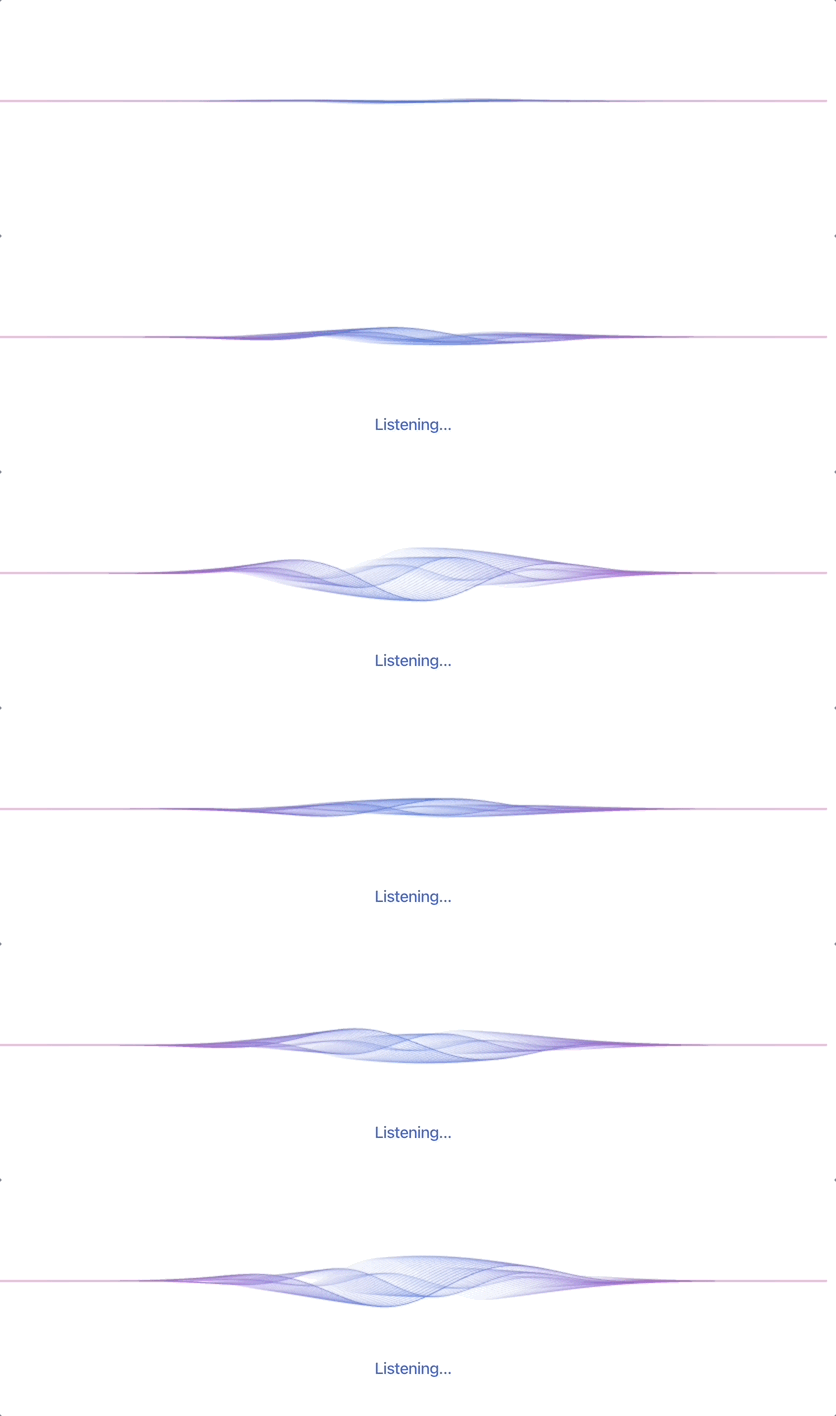
react-animated-waves is an opinionated canvas-based React component for displaying wave animations. The colors and strength of the wave animations can be customized to support dynamic UIs such as audio visualizations, voice UIs, progress loaders, etc.
react-animated-waves can be installed using npm (or your favorite package manager):
$ npm install react-animated-wavesTry the interactive demo to preview wave presets and explore possible configurations.
Import the Waves component from react-animated-waves and use it in your React app as follows:
import { Waves } from "react-animated-waves";

<div style={{ width: "100%", height: 240 }}>
  <Waves
    amplitude={24}
    colors={["#FF6AC6", "#436EDB", "#FF6AC6"]}
    height="100%"
  />
</div>
For voice or audio UIs, drive wave height with the intensity prop. Pass a normalized value between 0 (flat) and 1 (amplitude). For example, using microphone input as shown below:
import { useEffect, useState } from "react";
import { Waves } from "react-animated-waves";

function VoiceWaveform() {
  const [intensity, setIntensity] = useState(0);

  useEffect(() => {
    let stream;
    let audioContext;
    let rafId;

    async function startMic() {
      stream = await navigator.mediaDevices.getUserMedia({ audio: true });
      audioContext = new AudioContext();
      const analyser = audioContext.createAnalyser();
      audioContext.createMediaStreamSource(stream).connect(analyser);

      const data = new Uint8Array(analyser.fftSize);
      const tick = () => {
        analyser.getByteTimeDomainData(data);
        let sum = 0;
        for (const sample of data) {
          const normalized = (sample - 128) / 128;
          sum += normalized * normalized;
        }
        setIntensity(Math.min(1, Math.sqrt(sum / data.length) * 4));
        rafId = requestAnimationFrame(tick);
      };

      tick();
    }

    startMic().catch(console.error);

    return () => {
      cancelAnimationFrame(rafId);
      stream?.getTracks().forEach((track) => track.stop());
      void audioContext?.close();
    };
  }, []);

  return (
    <Waves
      amplitude={40}
      intensity={intensity}
      smoothing={0.2}
      speed={1.3}
      colors={["#436EDB", "#8B5CF6"]}
      height={180}
    />
  );
}For specific waveforms, pass custom layer definitions with the layers prop. Use the interactive demo to experiment with layer values in real-time.
<Waves
  amplitude={30}
  colors={["#436EDB", "#FF6AC6"]}
  layers={[
    { amplitudeMultiplier: 1, frequency: 0.02, alpha: 0.6, speed: 0.001, meshCount: 20 },
    { amplitudeMultiplier: 0.5, frequency: 0.035, alpha: 0.35, speed: 0.005, meshCount: 12 },
  ]}
/>The Waves component accepts the following props:
| Prop | Description | Default |
|---|---|---|
colors |
The colors for the waveform. Accepts any CSS color string (e.g., #436EDB, rgb(67, 110, 219), #436EDB80). |
['#436EDB'] |
amplitude |
Maximum height of the waveform in pixels. | 20 |
speed |
Speed of the waveform animation. | 1 |
smoothing |
Smoothing factor while approaching the target amplitude. | 0.1 |
frequency |
Sine wave frequency of the waveform. | 1 |
waveCount |
Number of primary wave layers. | 3 |
lineCount |
Number of secondary mesh lines. | 30 |
pinch |
Pinch intensity at the canvas edges. | 6 |
opacity |
Opacity of the waveform gradient stops. | 1 |
amplitudeOscillation |
Oscillation factor applied to the amplitude over time. | 0.05 |
height |
Height of the canvas in pixels, or a CSS length such as 100%. |
parent height or 150 |
pixelRatio |
Pixel ratio of the canvas. | auto |
respectReducedMotion |
Respect the user's reduced motion preference. | true |
paused |
Pause the animation. | false |
intensity |
Activity multiplier for the waveform for dynamic intensity between 0 (flat) and 1 (configured amplitude). |
1 |
layers |
Custom layer configuration overrides. | generated defaults |
Please read CONTRIBUTING.md for details on how to report issues, propose changes, and submit pull requests.