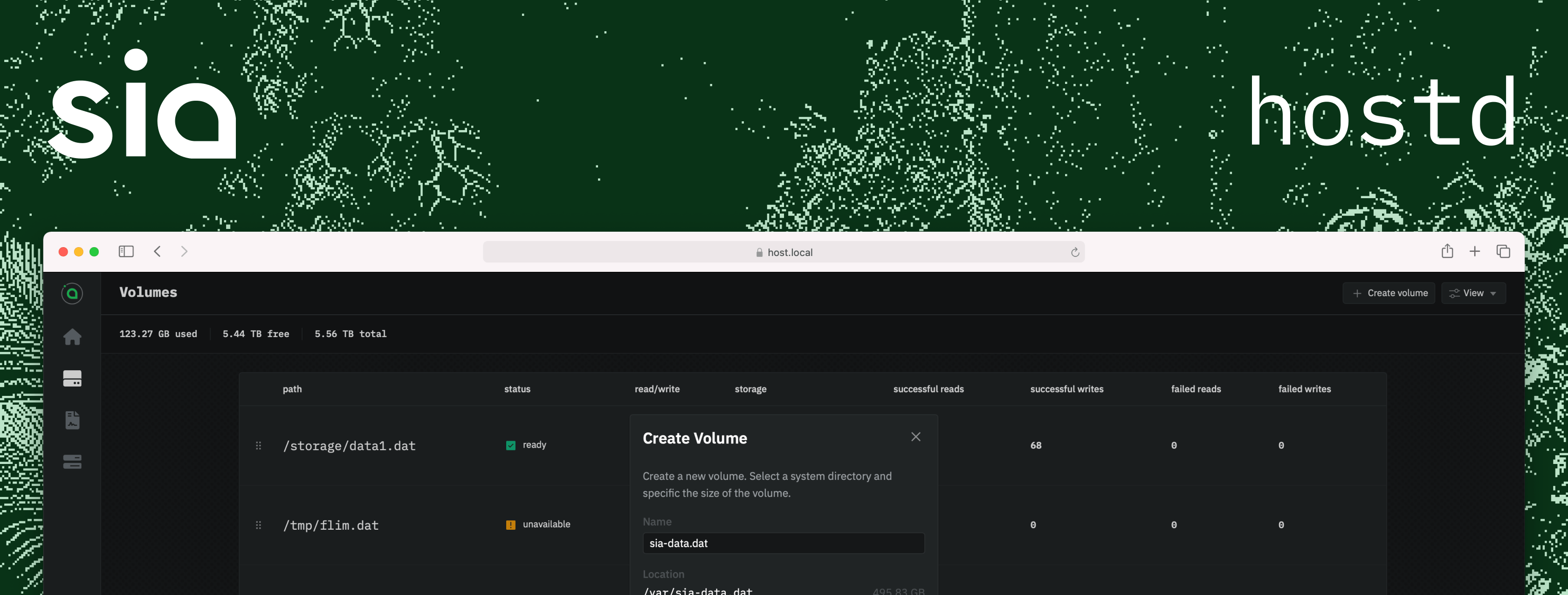

A host for Sia.
hostd is an advanced Sia host solution created by the Sia Foundation, designed
to enhance the experience for storage providers within the Sia network. Tailored
for both individual and large-scale storage providers, hostd boasts a
user-friendly interface and a robust API, empowering providers to efficiently
manage their storage resources and revenue. hostd incorporates an embedded
web-UI, simplifying deployment and enabling remote management capabilities,
ensuring a smooth user experience across a diverse range of devices.
- A project roadmap is available on GitHub
- Setup guides are available at https://docs.sia.tech
New users can sync instantly using hostd --instant. When instant syncing, the hostd node initializes using a Utreexo-based checkpoint and can immediately validate blocks from that point forward without replaying the whole chain state. The state is extremely compact and committed in block headers, making this initialization both quick and secure.
The wallet is required to only have v2 history to use instant syncing.
RHP4 is the latest version of the renter–host protocol, delivering major performance improvements over RHP2 and RHP3. It supports significantly higher throughput and concurrency, enabling hosts to handle more renters in parallel with lower latency.
For maximum interoperability, RHP4 supports both:
- SiaMux (TCP) — Secure, high-speed multiplexing layer, built by the Sia Foundation, allowing multiple protocol streams over a single connection. Reliable connections for most environments.
- QUIC (UDP) — Modern, secure, multiplexed connections ideal for direct browser access. QUIC requires no special setup, but for better decentralization, configure a custom domain with a valid TLS certificate (
certPathandkeyPathin config).
The YAML config file is the recommended way to configure hostd. hostd includes a command to interactively generate a config file: hostd config. Some settings can be overridden using CLI flags or environment variables.
The host's consensus database, host database, and log files are stored in the data directory.
| Operating System | Path |
|---|---|
| Windows | %APPDATA%/hostd |
| macOS | ~/Library/Application Support/hostd |
| Linux | /var/lib/hostd |
| Docker | /data |
| Operating System | Path |
|---|---|
| Windows | %APPDATA%/hostd/hostd.yml |
| macOS | ~/Library/Application Support/hostd/hostd.yml |
| Linux | /etc/hostd/hostd.yml |
| Docker | /data/hostd.yml |
The default config path can be changed using the HOSTD_CONFIG_FILE environment variable. For backwards compatibility with earlier versions, hostd will also check for hostd.yml in the current directory.
9980/TCP- UI and API9981/TCP- Sia consensus9984/TCP- RHP4 (SiaMux)9984/UDP- RHP4 (QUIC)
When running in Docker, bind 9980 to 127.0.0.1 unless you explicitly intend to expose the API publicly.
directory: /var/lib/hostd
recoveryPhrase: indicate nature buzz route rude embody engage confirm aspect potato weapon bid
http:
  address: 127.0.0.1:9980
  password: sia is cool
syncer:
  address: :9981
  bootstrap: true
consensus:
  network: mainnet
  indexBatchSize: 1000
rhp4:
  listenAddresses:
    - protocol: tcp # tcp, tcp4 or tcp6
      address: :9984
    - protocol: quic # quic, quic4 or quic6
      address: :9984
  quic:
    certPath: '/path/certs/certchain.crt' # Certificate chain file (optional)
    keyPath: '/path/private/keyfile.key' # Certificate private keyfile (optional)
log:
  stdout:
    enabled: true # enable logging to stdout
    level: info # log level for console logger
    format: human # log format (human, json)
    enableANSI: true # enable ANSI color codes (disabled on Windows)
  file:
    enabled: true # enable logging to file
    level: info # log level for file logger
    path: /var/log/hostd/hostd.log # the path of the log file
format: json # log format (human, json)hostd loads defaults in code, then loads values from hostd.yml, and finally applies supported CLI flag overrides. A few settings can also be seeded from environment variables.
| Name | Description | Default Value | CLI Flag | Environment Variable | YAML Path |
|---|---|---|---|---|---|
Name |
Friendly display name for the host | - | --name |
- | name |
Directory |
Directory for host metadata, consensus data, and logs | OS-specific data dir (%APPDATA%/hostd, ~/Library/Application Support/hostd, /var/lib/hostd, /data in Docker) |
--dir |
HOSTD_DATA_DIR |
directory |
RecoveryPhrase |
Wallet recovery phrase used to unlock the host wallet | - | - | HOSTD_WALLET_SEED |
recoveryPhrase |
AutoOpenWebUI |
Open the web UI in a browser on startup | true |
--openui |
- | autoOpenWebUI |
HTTP.Address |
Address for serving the API and embedded web UI | 127.0.0.1:9980 |
--http |
- | http.address |
HTTP.Password |
Password for the admin API and web UI | - | - | HOSTD_API_PASSWORD |
http.password |
Syncer.Address |
Address for peer-to-peer sync connections | :9981 |
--syncer.address |
- | syncer.address |
Syncer.Bootstrap |
Add built-in bootstrap peers for the selected network | true |
--syncer.bootstrap |
- | syncer.bootstrap |
Syncer.EnableUPnP |
Attempt to forward the syncer TCP port via UPnP | false |
- | - | syncer.enableUPnP |
Syncer.Peers |
Additional peer addresses to add to the peer store at startup | [] |
- | - | syncer.peers[] |
Consensus.Network |
Consensus network to join | mainnet |
--network |
- | consensus.network |
Consensus.IndexBatchSize |
Batch size used by the index manager while processing updates | 1000 |
- | - | consensus.indexBatchSize |
Consensus.PruneTarget |
Number of recent blocks to retain when pruning consensus data. Should never be less than 144, unless disabled; 0 disables pruning |
0 |
- | - | consensus.pruneTarget |
Explorer.Disable |
Disable the external explorer integration | false |
- | - | explorer.disable |
Explorer.URL |
Explorer API base URL used for explorer-backed features | https://api.siascan.com on mainnet, https://api.siascan.com/zen on zen |
- | - | explorer.url |
Storage.EnableMerkleCache |
Cache Merkle subtree roots in SQLite to reduce disk IO for partial reads | true |
- | - | storage.enableMerkleCache |
RHP4.QUIC.CertPath |
Path to the TLS certificate chain file for RHP4 QUIC | Auto-managed certificate if unset | - | - | rhp4.quic.certPath |
RHP4.QUIC.KeyPath |
Path to the TLS private key file for RHP4 QUIC | Auto-managed certificate if unset | - | - | rhp4.quic.keyPath |
RHP4.ListenAddresses.Protocol |
Protocol for each RHP4 listener (tcp, tcp4, tcp6, quic, quic4, quic6) |
One TCP listener and one QUIC listener | - | - | rhp4.listenAddresses[].protocol |
RHP4.ListenAddresses.Address |
Bind address for each RHP4 listener | :9984 for both default listeners |
--rhp4 overrides the address for all configured RHP4 listeners |
- | rhp4.listenAddresses[].address |
Log.StdOut.Enabled |
Enable logging to standard output | true |
- | - | log.stdout.enabled |
Log.StdOut.Level |
Log level for standard output logging | info |
--log.level also sets this |
- | log.stdout.level |
Log.StdOut.Format |
Log format for standard output (human or json) |
human |
- | - | log.stdout.format |
Log.StdOut.EnableANSI |
Enable ANSI color codes in standard output logs | true on non-Windows, false on Windows |
- | - | log.stdout.enableANSI |
Log.File.Enabled |
Enable logging to a file | true |
- | - | log.file.enabled |
Log.File.Level |
Log level for file logging | info |
--log.level also sets this |
- | log.file.level |
Log.File.Format |
Log format for file logging (human or json) |
json |
- | - | log.file.format |
Log.File.Path |
Path of the log file | <data directory>/hostd.log when unset |
- | HOSTD_LOG_FILE_PATH |
log.file.path |
HOSTD_CONFIG_FILE- overrides the path used to locatehostd.yml
--env- disable stdin prompts for required values such as the API password and wallet seed--instant- enable instant sync mode for faster initial sync
hostd uses SQLite for its persistence. A gcc toolchain is required to build hostd
go generate ./...
CGO_ENABLED=1 go build -o bin/ -tags='netgo timetzdata' -trimpath -a -ldflags '-s -w' ./cmd/hostdhostd includes a Dockerfile which can be used for building and running
hostd within a docker container. The image can also be pulled from ghcr.io/siafoundation/hostd:latest.
Be careful with port 9980 as Docker will expose it publicly by default. It is
recommended to bind it to 127.0.0.1 to prevent unauthorized access.
Create a new file named docker-compose.yml. You can use the following as a template. The /data mount is where consensus data is stored and is required. Change the /storage volume to the path of your storage drive. If you have additional mount points, add them.
services:
  host:
    image: ghcr.io/siafoundation/hostd:latest
    ports:
      - 127.0.0.1:9980:9980/tcp
      - 9981-9984:9981-9984/tcp
      - 9984:9984/udp
    volumes:
      - hostd-data:/data
      - /storage:/storage
    restart: unless-stopped

volumes:
hostd-data:Run the following command to generate a config file for your host. Do not change the data directory from /data.
docker compose run -it host config
After creating a config file, it's time to start your host:
docker compose up -d
docker build -t hostd .